
Introduction
A SIM card is an important part of your mobile phone. It connects your device to a mobile network and allows you to make calls, send text messages, and use mobile data. Your mobile number may also be connected to banking services, social media accounts, email accounts, and other online platforms. This makes SIM card security an important part of your digital safety.
Many people use their SIM cards every day without thinking about the information and services connected to their mobile numbers. However, weak account protection, suspicious messages, SIM swap fraud, and unauthorized access can create serious problems. If someone gains control of your mobile number, they may try to misuse accounts that depend on it for verification or recovery.
Following the right SIM Card Security Tips can help you protect your mobile number and reduce the risk of fraud. You do not need advanced technical knowledge to improve your SIM security. Simple habits, such as keeping your personal information private, using a SIM PIN, and monitoring your mobile account, can make a difference.
In this article, you will learn how SIM cards work, why security matters, what common threats to watch for, and which practical steps can help keep your mobile number safe.
What Is SIM Card Security?
SIM card security means protecting your SIM card, mobile number, and related mobile account from unauthorized access or misuse.
A SIM card identifies your mobile subscription to your network provider. It helps connect your phone to the mobile network and supports services such as calls, SMS, and mobile data.
Modern SIM cards may also support digital authentication and account-related services. Because of this, protecting your SIM card is important for both communication and online account security.
SIM card security includes several basic practices:
- Protecting your SIM with a PIN.
- Keeping your mobile account information private.
- Avoiding suspicious calls and messages.
- Watching for unexpected network changes.
- Using strong passwords for important accounts.
- Contacting your mobile provider about unusual activity.
- Protecting your phone from unauthorized access.
These practices help reduce the chances of someone misusing your mobile number.
Why Is SIM Card Security Important?
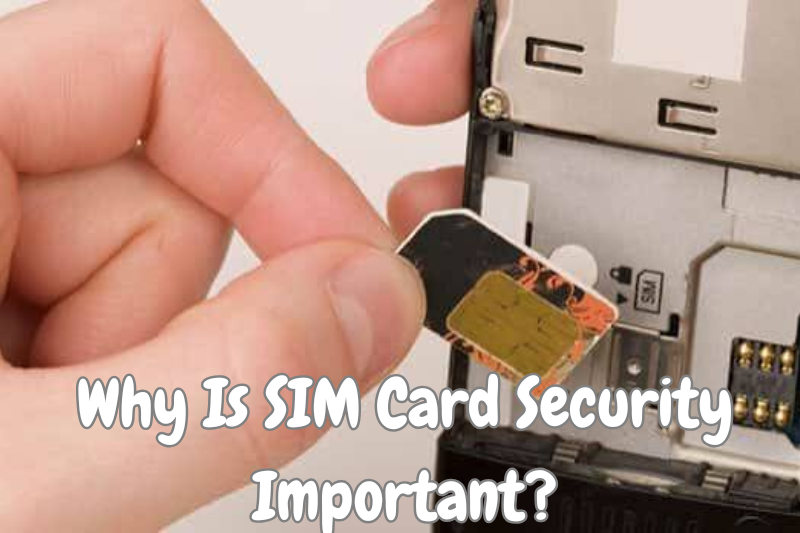
Your mobile number may be connected to more services than you realize. It can be used for account verification, password recovery, customer support, and personal communication.
If someone gains unauthorized control of your number, it may create problems beyond ordinary phone calls and messages.
1. Protects Your Personal Information
Your mobile number is personal information. It may be stored in online accounts, shopping platforms, banking services, and contact lists.
Protecting your SIM and mobile account helps reduce the risk of unwanted access to information connected to your number.
2. Reduces the Risk of SIM Swap Fraud
SIM swap fraud happens when someone attempts to transfer another person’s mobile number to a different SIM card without proper authorization.
If the transfer succeeds, the original user may lose access to their mobile service.
Strong account protection and proper identity verification can help reduce this risk.
3. Supports Online Account Security
Many online platforms use mobile numbers for verification and account recovery.
If your number is compromised, accounts that depend heavily on SMS verification may become more vulnerable.
Using additional security methods can help protect important accounts.
4. Prevents Unauthorized Mobile Account Changes
Someone may attempt to make changes to your mobile account without your permission.
Keeping your account details private and monitoring provider notifications can help you identify unusual activity early.
5. Protects Your Communication
Your SIM card allows you to stay connected through calls and text messages.
Protecting it helps maintain reliable communication and reduces the risk of unexpected service interruptions caused by account misuse.
15 Important SIM Card Security Tips
The following SIM Card Security Tips can help you protect your mobile number and improve your overall phone security.
1. Set a SIM Card PIN
A SIM PIN is a security code that helps prevent unauthorized use of your SIM card.
When SIM PIN protection is enabled, your phone may ask for the PIN after restarting or when the SIM is inserted into another device.
Choose a PIN that is difficult for others to guess. Avoid using simple combinations such as repeated digits or personal dates.
Important: Do not guess the SIM PIN repeatedly. Entering an incorrect PIN too many times can lock the SIM and require a PUK code from your mobile provider.
2. Keep Your SIM Card Information Private
Your SIM card and mobile account are connected to personal information.
Avoid sharing your SIM details, account information, or identity documents with unknown people.
Be especially careful when someone contacts you unexpectedly and asks for information to verify your mobile account.
Only provide necessary details through trusted and official customer support channels.
3. Protect Your Mobile Number from SIM Swap Fraud
SIM swap fraud is one of the important risks associated with mobile numbers.
A fraudster may try to convince a mobile provider that they are the legitimate owner of a number.
To reduce this risk:
- Ask your provider about additional account protection.
- Keep your account information private.
- Use a strong account password where available.
- Pay attention to unexpected SIM-related notifications.
- Contact your provider if you notice unusual account activity.
You should also avoid sharing identity information with unknown callers.
4. Never Share Verification Codes
Verification codes are often sent through SMS when you sign in to an account or confirm an action.
These codes are private and should not be shared with anyone who contacts you unexpectedly.
Scammers may pretend to be customer support representatives and ask for a code to solve an account problem.
Never share your verification code, even if the caller claims to represent a trusted company.
5. Contact Your Mobile Provider About Unusual Activity
Your mobile network provider manages your mobile subscription and can help you investigate account-related problems.
Contact the provider if you notice:
- Unexpected loss of mobile service.
- Unusual SIM replacement notifications.
- Account changes you did not request.
- Unknown services added to your account.
- Messages about activities you do not recognize.
Use the provider’s official customer support service rather than relying on an unfamiliar phone number.
6. Keep Your Phone Locked
SIM card security and phone security work together.
If someone can access your unlocked phone, they may be able to view messages, contacts, and account information.
Use a strong screen lock, such as a secure PIN or password. You can also use supported fingerprint or face recognition features.
Avoid leaving your phone unlocked in public places or with people you do not trust.
7. Avoid Suspicious Calls and Messages
Fraudulent calls and text messages are common ways of collecting personal information.
Someone may pretend to represent your mobile operator and claim that your SIM needs urgent verification.
Do not trust every caller or message that uses an official-looking name.
If you receive an unexpected request, contact the organization through its known customer support channels.
8. Use Strong Passwords for Important Accounts
Your mobile number may be connected to email, social media, banking, and shopping accounts.
A weak password can make these accounts easier to access without permission.
Create a unique password for each important account. Avoid using the same password for your mobile operator account and other online services.
A password manager can help you create and manage strong passwords.
9. Enable Multi-Factor Authentication
Multi-factor authentication adds another verification step when you sign in to an account.
Some services offer SMS codes, authenticator applications, passkeys, or security keys.
Where available, consider using an authentication method that does not depend entirely on your mobile number.
This can provide additional protection if your SIM or phone number becomes unavailable.
10. Do Not Lend Your SIM Card to Unknown People
Your SIM card is connected to your mobile subscription and personal number.
Avoid giving your SIM card to strangers or allowing unknown people to use your mobile account.
If someone needs to contact you, you can make the call yourself instead of handing over your SIM or unlocked phone.
11. Remove Your SIM Before Giving Away an Old Phone
If you sell, recycle, or give away an old phone, make sure your SIM card is removed first.
Also review the device for personal information before handing it over.
If you use an eSIM, check the device’s settings and follow your mobile provider’s official instructions for transferring or removing the mobile plan.
This helps prevent accidental exposure of your mobile account information.
12. Keep Your Phone Software Updated
Phone updates often include security improvements and fixes for known problems.
Install updates through your device’s official settings.
Also keep your applications updated, especially those used for email, banking, communication, and account management.
Updated software can help reduce certain security risks.
13. Be Careful When Using Public Charging Stations
Public charging areas can create privacy and device security concerns, especially when unfamiliar equipment or connections are involved.
Use your own trusted charger and cable whenever possible.
If your phone displays an unexpected request to share data or trust a connected device, do not approve it unless you understand why it is needed.
14. Monitor Your Mobile Account Regularly
Checking your mobile account can help you notice unusual changes.
Review your service details, account notifications, and any available usage information.
Look for unfamiliar subscriptions, unexpected changes, or services that you did not request.
If you find something unusual, contact your mobile operator for assistance.
15. Keep Your PUK Code Safe
A PUK code is used to unlock a SIM card after it becomes blocked because of too many incorrect SIM PIN attempts.
Your mobile provider may supply this code with your SIM documentation or through its official customer support service.
Keep it private and store it somewhere secure.
Do not share your PUK code with unknown people, and avoid guessing it.
Common SIM Card Security Threats You Should Know
Understanding common threats can help you recognize suspicious activity before it becomes a bigger problem.
SIM Swap Fraud
SIM swap fraud involves an unauthorized attempt to transfer a mobile number to another SIM card.
If successful, it may interrupt the legitimate owner’s mobile service and create risks for accounts connected to the number.
How to reduce the risk: Protect your mobile account, use additional verification where available, and contact your provider about unexpected SIM changes.
SIM Cloning
SIM cloning refers to the unauthorized copying of SIM-related information.
It is a security concern because it may allow unauthorized use of a mobile subscription or related services.
Modern mobile networks use security protections, but users should still protect their SIM information and avoid untrusted services.
Phishing Messages
Phishing messages try to trick users into sharing private information.
A message may claim that your SIM will be blocked unless you confirm your account details.
How to reduce the risk: Do not open suspicious links or provide passwords and verification codes through unexpected messages.
Social Engineering
Social engineering uses deception to convince people to share information or perform actions that may compromise their accounts.
A caller may pretend to be a mobile operator employee and ask for your personal details.
How to reduce the risk: Verify unexpected requests independently and never share private account codes with unknown callers.
Phone Theft
If your phone is stolen, someone may attempt to access the device or misuse information connected to your SIM.
How to reduce the risk: Use a strong screen lock, keep important account details protected, and contact your mobile provider quickly if your phone is lost or stolen.
How to Protect Your SIM Card on Android
Android phones offer several security settings that can help protect your SIM card and personal information.
The exact menu names may vary depending on your phone manufacturer and Android version.
Enable SIM Card Lock
You can usually find SIM lock settings under the security or SIM settings section.
Look for the SIM card lock option and follow the instructions provided by your device.
Before enabling it, make sure you know the correct SIM PIN from your mobile provider or SIM documentation.
Review App Permissions
Some applications request access to contacts, messages, phone features, and other information.
Review these permissions regularly and remove access that an application does not need.
Use a Strong Screen Lock
Set a secure PIN or password for your phone.
Avoid simple combinations that others can easily guess.
Keep Android Updated
Check for available system updates and install them when appropriate.
Updates can improve device security and fix known software problems.
Use Built-In Security Features
Use the security features available on your Android device.
These may include application scanning, device protection, account security alerts, and tools for finding a lost phone.
How to Protect Your SIM Card on iPhone
iPhones also provide built-in options that can help users protect their SIM cards and mobile accounts.
Some settings depend on the iPhone model, iOS version, and mobile operator.
Enable SIM PIN
Open the Settings application and look for the Cellular or Mobile Data section.
Select the SIM PIN option if it is available, then follow the instructions.
Make sure you have the correct PIN before enabling this feature.
Protect Your iPhone with a Passcode
A strong device passcode helps prevent unauthorized access to your phone.
You can also use Face ID or Touch ID if your device supports these features.
Review Privacy Settings
Check which applications can access your contacts, microphone, camera, location, and other personal information.
Remove permissions that are not necessary.
Keep iOS Updated
Install software updates through the official iPhone settings.
These updates may include important security improvements.
Protect Your Apple Account
Use a strong password and enable available account security features.
Keep your account recovery information updated and never share verification codes with unknown people.
What Is the Difference Between a SIM PIN and a Phone Passcode?
A SIM PIN and a phone passcode are two different security features.
Both can help protect your mobile device, but they protect different things.
| SIM PIN | Phone Passcode |
|---|---|
| Protects access to the SIM card | Protects access to the phone |
| May be requested after restarting the device | Usually protects the phone when it is locked |
| Helps prevent unauthorized SIM use | Helps prevent unauthorized device access |
| Is managed through SIM settings | Is managed through device security settings |
| May require a PUK code if blocked | Follows the device’s passcode recovery process |
Using both features provides better protection than relying on only one.
Signs That Your SIM Card May Be Compromised
It is important to recognize unusual activity connected to your mobile number.
Not every service problem means your SIM has been compromised. Network outages, technical faults, and billing issues can also affect mobile service.
However, certain signs deserve attention.
Sudden Loss of Mobile Network
If your phone suddenly loses service and does not reconnect, contact your mobile provider to check whether there is an account or network issue.
Unexpected SIM Replacement Notifications
Take action if you receive a notification about a SIM replacement or account change that you did not request.
Unusual Verification Messages
Unexpected verification messages may indicate that someone is trying to access an account connected to your number.
Do not share the codes with anyone.
Unfamiliar Account Changes
Check your mobile account if you notice changes to your personal details, services, or subscription settings.
Problems Receiving Calls and SMS
If you stop receiving calls and messages unexpectedly, contact your provider and ask it to investigate.
What to Do If Your SIM Card Is Lost or Stolen
Losing your SIM card or phone can create security and privacy concerns.
Taking the right steps quickly can help reduce the risk of misuse.
1. Contact Your Mobile Operator
Inform your mobile provider that your SIM card or phone is missing.
Ask the provider to suspend the affected SIM if necessary and explain how to obtain a replacement.
2. Protect Your Important Accounts
Review accounts connected to your mobile number, especially email, banking, and social media accounts.
If you suspect unauthorized access, change the relevant passwords from a trusted device.
3. Report Financial Concerns
If your phone number is connected to financial services, contact your bank or payment provider if you notice suspicious activity.
Follow its official security instructions.
4. Use Your Phone’s Device Protection Features
If your phone is missing, use the official device-finding service associated with your operating system.
Depending on the device and available settings, you may be able to locate, lock, or erase it remotely.
5. Get a Replacement SIM
Follow your mobile provider’s official identity verification process to obtain a replacement SIM.
Make sure the old SIM has been properly deactivated if necessary.
6. Review Account Recovery Settings
Check whether your important accounts still use the correct phone number and recovery information.
Update security settings when your replacement SIM is active.
SIM Card Security Tips for Online Banking
Many people use their mobile numbers for banking notifications, transaction alerts, and account verification.
This makes mobile number protection especially important.
Use Strong Banking Passwords
Create a unique password for your banking account.
Avoid using the same password for email, social media, and other services.
Never Share Banking Verification Codes
Banks may use verification codes to confirm certain actions.
Never share these codes with callers or messages that you did not request.
Enable Banking Notifications
Account notifications can help you identify unexpected activity.
Review alerts carefully and contact your bank if you notice something unusual.
Keep Your Banking Application Updated
Install updates from your phone’s official application store.
Avoid installing banking applications from unknown sources.
Contact Your Bank After a SIM Security Incident
If you believe your mobile number has been compromised, inform your bank through its official support channel.
Ask whether additional account protection is needed.
SIM Card Security Checklist
Use this simple checklist to review your mobile security habits.
Your SIM security progress
0/10 completedI have enabled a SIM PIN after confirming the correct code.My phone is protected with a strong screen lock.I never share verification codes with unknown people.My mobile account information is private.I use strong and unique passwords for important accounts.I check unexpected SIM-related notifications.I keep my phone software updated.I avoid suspicious calls, messages, and links.I know how to contact my mobile provider.I have a plan for reporting a lost or stolen SIM.
Reset checklist
Common Mistakes to Avoid for Better SIM Security
Some mistakes can make your mobile number easier to misuse.
Avoid these common habits:
- Using an easy-to-guess SIM PIN.
- Sharing verification codes with other people.
- Ignoring unexpected SIM replacement notifications.
- Giving personal information to unknown callers.
- Using the same password for every online account.
- Leaving your phone unlocked in public places.
- Installing applications from untrusted sources.
- Ignoring unusual mobile account activity.
- Keeping a lost SIM active without informing your provider.
- Assuming that every message from a familiar-looking number is genuine.
Avoiding these mistakes can improve your overall mobile security.
Frequently Asked Questions About SIM Card Security Tips
1. What are the best SIM Card Security Tips?
The best SIM Card Security Tips include enabling a SIM PIN, protecting your mobile account, using strong passwords, avoiding suspicious messages, and never sharing verification codes.
2. What is a SIM PIN?
A SIM PIN is a security code that helps prevent unauthorized use of your SIM card. When enabled, your phone may request the code after restarting or when the SIM is placed in another device.
3. Can someone use my SIM card without permission?
Unauthorized use may be possible if someone gains access to your SIM or successfully takes control of your mobile number. Keeping your SIM and account information secure helps reduce this risk.
4. What is SIM swap fraud?
SIM swap fraud occurs when someone attempts to transfer another person’s mobile number to a different SIM card without proper authorization. It can interrupt mobile service and create risks for connected online accounts.
5. Should I enable SIM card lock?
A SIM card lock can provide an additional layer of protection. Before enabling it, confirm your correct SIM PIN with your mobile provider or SIM documentation.
6. What happens if I enter the wrong SIM PIN?
After several incorrect attempts, the SIM may become blocked and require a PUK code. Contact your mobile provider if this happens instead of guessing the code.
7. What is a PUK code?
A PUK code is a personal unlocking key used to unlock a SIM card after it has been blocked because of incorrect PIN attempts. Your mobile operator can explain how to obtain it.
8. How can I know if someone is using my mobile number?
Watch for unexpected loss of service, unfamiliar SIM replacement notifications, unusual account activity, and verification messages you did not request. Contact your provider if you notice these signs.
9. Is a SIM PIN the same as a phone password?
No. A SIM PIN protects access to the SIM card, while a phone password or passcode protects access to the device itself.
10. Can I protect my SIM card on Android?
Yes. Many Android phones provide a SIM card lock option. You can also use a strong screen lock, review application permissions, and keep your software updated.
11. Can I protect my SIM card on an iPhone?
Yes. Supported iPhones offer a SIM PIN setting. You can also protect your device with a strong passcode and use available Apple account security features.
12. What should I do if my SIM card is stolen?
Contact your mobile provider immediately and report the missing SIM. Ask about suspending the old SIM and getting a replacement. Also review important accounts connected to your mobile number.
13. Is SMS verification completely safe?
SMS verification can provide useful protection, but it is not perfect. For important accounts, consider stronger options such as authenticator applications, passkeys, or security keys when available.
14. Should I share my SIM details with customer support?
Only provide necessary information through your mobile provider’s official support channels. Never share passwords, SIM PINs, or verification codes with unexpected callers.
15. How often should I check my SIM security?
Review your mobile account and security settings regularly. Also check them whenever you receive an unexpected notification or notice unusual activity.
Conclusion
SIM card security is an important part of protecting your mobile identity and personal information. Your phone number may be connected to communication services, banking accounts, email, and many other online platforms. This makes it important to protect your SIM card from unauthorized access and misuse.
Following simple SIM Card Security Tips can help reduce common risks. Enable a SIM PIN, keep your account details private, use strong passwords, avoid suspicious messages, and never share verification codes with unknown people.
You should also monitor your mobile account and contact your network provider if you notice unexpected service interruptions or SIM-related changes.
Remember that SIM security is not only about protecting a small card. It is also about protecting the mobile number that connects you to important parts of your digital life. With regular attention and responsible security habits, you can make your mobile communication safer and more reliable.