
Introduction
Mobile phones have become an important part of everyday life. People use their mobile numbers for phone calls, text messages, online banking, social media, email accounts, shopping, and many other digital services. Because so many accounts are connected to a single phone number, protecting your SIM card is more important than ever.
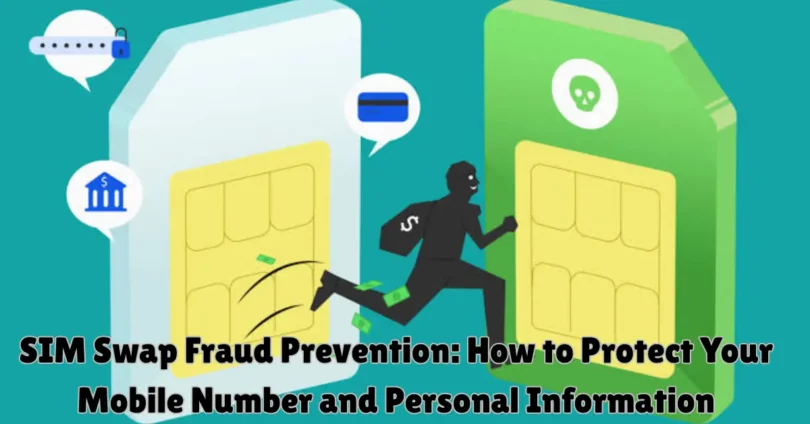
One growing concern for mobile users is SIM swap fraud. This type of fraud happens when someone attempts to take control of another person’s mobile number by getting the mobile network provider to transfer the number to a different SIM card without the real owner’s permission.
When this happens, the legitimate owner may suddenly lose mobile network service. The person who gains control of the number may also receive calls and text messages intended for the original user. This can create additional risks for accounts that depend on SMS verification.
SIM Swap Fraud Prevention means using practical security measures to protect your mobile number from unauthorized SIM replacement and account misuse. It involves securing your mobile operator account, protecting personal information, recognizing suspicious activity, and using stronger authentication methods.
The good news is that users can take several simple steps to reduce their risk. This guide explains how SIM swap fraud works, why it happens, which warning signs to recognize, and how to protect your mobile number and important online accounts.
What Is SIM Swap Fraud?
SIM swap fraud is a type of identity-related fraud in which someone attempts to transfer a victim’s existing mobile number to a different SIM card without proper authorization.
Every mobile number is connected to a subscriber account managed by a mobile network provider. When a customer replaces a damaged SIM or moves their number to a new device, the provider follows an account verification process.
Fraudsters may try to misuse this process by pretending to be the legitimate account holder.
If the unauthorized transfer succeeds, the original SIM may stop working. The new SIM may then receive calls and SMS messages intended for the original owner.
This is why SIM swap fraud can become a serious security concern, especially when a phone number is used for password recovery or account verification.
SIM swap fraud does not always mean that someone physically steals your SIM card. It can happen through unauthorized account changes handled by a mobile provider.
How Does SIM Swap Fraud Work?
Understanding the general process can help users recognize the risks and take preventive action.
1. Personal Information Becomes Exposed
A fraudster may obtain personal information about a person from exposed data, public information, social engineering, or other sources.
This information may include a person’s name, phone number, or other details that could be misused during an identity verification process.
2. Someone Attempts to Impersonate the Account Owner
The fraudster may pretend to be the legitimate mobile account holder.
They may try to convince the mobile provider that a SIM replacement or number transfer is required.
3. An Unauthorized SIM Change Is Requested
A fraudulent request may be submitted to transfer the mobile number to another SIM card.
Mobile operators use verification procedures to protect customers, but weak or incomplete checks can increase the risk of unauthorized changes.
4. The Original SIM May Lose Service
If the unauthorized transfer is approved, the original SIM may stop receiving calls, SMS messages, and mobile network services.
The legitimate owner may notice that their phone suddenly shows no service.
5. Connected Accounts May Become Vulnerable
If the mobile number is used for SMS verification or account recovery, the person controlling the number may create additional security risks.
However, receiving a phone number does not automatically provide access to every account. Many services require passwords and additional verification.
This is why protecting both your SIM card and your online accounts is important.
Why Is SIM Swap Fraud Prevention Important?
Your mobile number may be connected to several important services. Losing control of it can create problems with communication, privacy, and account security.
Protection of Online Accounts
Many websites and applications use phone numbers to verify users or support account recovery.
If someone takes control of your number, accounts that rely only on SMS verification may become more vulnerable.
Protection of Financial Information
Some banks and payment services use SMS messages for notifications or verification.
An unauthorized SIM change may create risks for financial accounts, especially if other security protections are weak.
Protection of Personal Privacy
Your mobile number is often connected to personal communication and online profiles.
Protecting it helps reduce the risk of unauthorized access to services and information associated with your identity.
Prevention of Identity Misuse
Personal information can be misused to impersonate someone.
Strong account security and careful handling of personal details can reduce opportunities for identity-related fraud.
Reliable Mobile Communication
SIM swap fraud may interrupt normal mobile services.
Preventive security practices help protect your ability to make calls, receive messages, and use mobile data.
Common Warning Signs of SIM Swap Fraud
Recognizing unusual activity early can help reduce the impact of a SIM swap incident.
Not every mobile network problem means fraud has occurred. Technical faults, service outages, billing problems, and damaged SIM cards can also interrupt mobile service.
However, the following warning signs deserve attention.
1. Sudden Loss of Mobile Network Service
One of the most important warning signs is unexpected loss of mobile service.
Your phone may suddenly show messages such as:
- No Service
- No Network
- SIM Not Available
- Emergency Calls Only
If this happens without an obvious reason, contact your mobile provider through an official channel.
2. Unexpected SIM Replacement Notifications
You may receive a message or email stating that a SIM replacement or account change has been requested.
If you did not make this request, contact your provider immediately.
3. Unusual Verification Messages
Receiving unexpected login or verification codes may indicate that someone is attempting to access an account connected to your number.
Do not share these codes with anyone.
4. Unexpected Account Recovery Notifications
If you receive alerts about password changes or account recovery requests that you did not initiate, review the affected accounts.
Use a trusted device and official account security settings.
5. Unusual Mobile Account Changes
Check for unfamiliar changes to your mobile subscription, contact information, or account settings.
Report any changes that you did not authorize.
6. Friends or Family Cannot Reach You
If people suddenly cannot call or message your number, check whether your mobile service is working.
If the problem continues, contact your network provider and ask whether any SIM-related changes have been made.
15 Effective SIM Swap Fraud Prevention Tips
Preventing SIM swap fraud requires a combination of mobile account protection, personal information security, and strong online authentication.
The following tips can help you reduce your risk.
1. Set a Strong SIM PIN
A SIM PIN helps protect your SIM card from unauthorized use.
When enabled, your phone may request the PIN after restarting or when the SIM card is placed in another device.
Choose a PIN that is difficult for other people to guess. Avoid using simple number combinations or personal dates.
Before enabling SIM PIN protection, confirm the correct PIN with your mobile provider or SIM documentation.
Do not repeatedly guess the PIN because too many incorrect attempts may block the SIM and require a PUK code.
2. Add Extra Protection to Your Mobile Account
Contact your mobile operator and ask whether it offers additional security for SIM replacement or number transfer requests.
Depending on the provider, available features may include:
- Account PIN protection.
- Additional identity verification.
- SIM replacement notifications.
- Account change alerts.
- Extra verification for sensitive requests.
These features can help reduce the chance of unauthorized changes.
3. Protect Your Personal Information
Personal information may be misused during identity-related fraud.
Avoid sharing unnecessary details about yourself with unknown people.
Be careful when posting information publicly, especially details that may be used to answer account security questions.
Keep identity documents and account information secure.
4. Never Share Verification Codes
Verification codes are designed to confirm access to an account or authorize certain actions.
A fraudster may contact you while pretending to be a mobile provider employee or customer support representative.
They may claim that a code is required to protect your number.
Never share verification codes with unexpected callers or messages.
5. Use Strong and Unique Passwords
A strong password makes it more difficult for unauthorized people to access your mobile operator account and connected services.
Create a separate password for each important account.
Avoid using your phone number, birth date, name, or other easily available information.
A password manager can help you create and store unique passwords safely.
6. Enable Multi-Factor Authentication
Multi-factor authentication adds another security step when you sign in to an account.
Depending on the service, this may involve an authenticator application, passkey, security key, or SMS verification.
For important accounts, consider using an authentication method that does not depend entirely on your mobile number.
This is especially useful for email accounts, financial services, and accounts that control password recovery for other platforms.
7. Secure Your Email Account
Your email account is often connected to password recovery for many online services.
If someone gains access to your email, they may be able to create additional account security problems.
Use a strong and unique password, enable multi-factor authentication, and review connected devices regularly.
Make sure your recovery information is accurate and protected.
8. Monitor Your Mobile Account
Check your mobile account regularly for unusual activity.
Review available account notifications, service changes, and subscription details.
If you notice an unfamiliar SIM replacement request or account update, contact your provider immediately.
9. Avoid Sharing Information with Unknown Callers
Some fraudsters use social engineering to convince people to reveal personal information.
They may pretend to represent a mobile operator, bank, or government department.
Do not provide sensitive information during unexpected calls.
If someone contacts you about an account problem, end the conversation and contact the organization through its official customer support channel.
10. Keep Your Phone Software Updated
Operating system updates often include important security improvements.
Install updates through your device’s official settings and keep your applications updated.
Although software updates cannot directly prevent every SIM swap attempt, they help protect your device and the information stored on it.
11. Protect Your Identity Documents
Your identity documents may contain information used to verify your identity.
Keep digital and physical copies secure.
Avoid sending identity documents to unknown numbers or unfamiliar email addresses.
Only provide documents when required by a trusted organization through an official process.
12. Use App-Based Authentication for Important Accounts
SMS verification is convenient, but it depends on access to your mobile number.
Where supported, an authenticator application or passkey may provide an additional layer of account protection.
Use stronger authentication for your email, financial services, and other important accounts.
13. Avoid Publicly Sharing Your Mobile Number
Your phone number may be used for unwanted communication, spam, or identity-related scams.
Avoid posting your personal number publicly unless there is a genuine reason.
Consider using separate contact information for public business communication when appropriate.
14. Act Quickly When Your SIM Stops Working
If your SIM suddenly stops working, do not ignore the issue.
Check whether there is a general network problem. If your service does not return, contact your mobile operator through an official channel.
Ask the provider to check whether an unauthorized SIM replacement or account change has occurred.
15. Know Your Mobile Provider’s Security Process
Different mobile operators have different account protection procedures.
Learn how your provider handles SIM replacement, account recovery, and number transfer requests.
Ask about additional verification options and how to report suspected SIM swap fraud.
Knowing the correct reporting process can save time if an incident occurs.
How to Protect Your Online Accounts from SIM Swap Fraud
SIM swap fraud can affect accounts that depend heavily on mobile numbers.
Protecting your online accounts is therefore an important part of SIM Swap Fraud Prevention.
Protect Your Email Account
Email accounts often control password recovery for other services.
Use a strong password and enable multi-factor authentication.
Review account recovery options and remove unfamiliar connected devices.
Protect Your Banking Accounts
Use your bank’s recommended security features.
Avoid sharing banking passwords, PINs, or verification codes.
Enable account notifications and contact your bank if you notice unexpected activity.
Protect Your Social Media Accounts
Use unique passwords for social media platforms.
Enable additional authentication and review recent login activity.
Keep recovery information updated and avoid sharing private account details.
Protect Shopping Accounts
Online shopping accounts may store addresses, contact details, and payment information.
Use strong passwords and review saved payment methods regularly.
Remove information you no longer need to keep in an account.
Protect Cloud Storage Accounts
Cloud storage services may contain personal documents, photographs, and important files.
Use strong authentication and review which devices have access to your account.
Avoid storing sensitive information in accounts with weak security.
What Is the Difference Between SIM Swap Fraud and SIM Cloning?
SIM swap fraud and SIM cloning are related to SIM card security, but they are not the same thing.
| SIM Swap Fraud | SIM Cloning |
|---|---|
| Involves an unauthorized transfer of a mobile number to another SIM | Refers to unauthorized copying of SIM-related information |
| Usually involves a mobile operator account change | Involves duplication of SIM-related credentials |
| May cause the original SIM to lose service | May create unauthorized use of copied SIM information |
| Can involve identity impersonation | Involves unauthorized duplication |
| Requires attention to account protection and provider verification | Requires protection of SIM information and network security |
Both are security concerns, but SIM swap fraud is particularly important for everyday users because mobile numbers are commonly connected to online accounts.
How Mobile Network Providers Help Prevent SIM Swap Fraud
Mobile network providers have an important responsibility to protect customer accounts and mobile numbers.
They can use different security measures to reduce unauthorized SIM replacement requests.
Strong Identity Verification
Providers should follow appropriate identity verification procedures before approving sensitive account changes.
This helps confirm that the person requesting a SIM replacement is authorized to make the request.
Additional Account Security
Mobile operators may offer account PINs, extra verification, or other security features.
These controls can provide additional protection for sensitive requests.
SIM Replacement Notifications
Providers can notify customers when a SIM replacement or important account change takes place.
These alerts help users identify activity they did not authorize.
Employee Security Training
Employees who handle customer accounts should understand identity verification procedures and social engineering risks.
Regular training can help reduce mistakes during sensitive account requests.
Fraud Monitoring
Telecom providers can monitor unusual account activity and investigate suspicious requests.
Monitoring and proper reporting processes help improve customer account protection.
Clear Customer Support
Customers should have access to clear instructions for reporting suspected SIM swap fraud.
Fast communication can help reduce confusion and support account recovery.
What Should You Do If You Become a Victim of SIM Swap Fraud?
If you believe someone has taken control of your mobile number, take action as soon as possible.
The following steps can help you protect your accounts and work with your mobile provider.
Step 1: Contact Your Mobile Operator Immediately
Use an official customer support channel to report the suspected SIM swap.
Explain that you did not authorize the SIM replacement and ask the provider to investigate.
Request suspension of the unauthorized SIM or restoration of your original mobile service, depending on the situation.
Step 2: Secure Your Email Account
If your mobile number is connected to your email account, review its security settings.
Change your password from a trusted device if you suspect unauthorized access.
Check recovery details and remove unfamiliar devices or sessions.
Step 3: Contact Your Bank
If your number is connected to banking or payment services, contact your bank through its official support channel.
Explain the situation and ask whether additional account protection is necessary.
Review recent transactions and report anything unfamiliar.
Step 4: Change Important Account Passwords
Prioritize accounts that contain sensitive information or control access to other services.
Use unique passwords and enable stronger authentication methods where available.
Step 5: Review Account Activity
Check recent login notifications, password changes, and account recovery requests.
If you find unfamiliar activity, report it to the relevant service provider.
Step 6: Report the Incident to Relevant Authorities
Depending on your country, you may be able to report identity-related fraud to a cybercrime reporting authority or consumer protection organization.
Keep records of important notifications and communication related to the incident.
Step 7: Restore Your Mobile Number Securely
Follow your mobile operator’s official recovery process.
Complete the required identity verification and ask the provider to confirm that unauthorized changes have been addressed.
Step 8: Review Your Security Settings
After regaining control of your number, review the security of your important online accounts.
Update recovery information and use authentication methods that provide protection beyond SMS messages.
SIM Swap Fraud Prevention for Android Users
Android users can improve their overall mobile security through built-in device settings and account protection features.
The exact menu names may differ between manufacturers and Android versions.
Enable SIM Card Lock
Android phones often provide an option to enable SIM PIN protection.
Check the security or SIM settings section of your device.
Before enabling the feature, make sure you know the correct SIM PIN.
Use a Strong Screen Lock
Set a secure PIN or password for your device.
Avoid simple combinations that someone could easily guess.
Review Application Permissions
Check which applications can access your contacts, messages, phone features, and personal information.
Remove unnecessary permissions.
Keep Android Updated
Install important security updates through your phone’s official settings.
Updates help protect the device against known software weaknesses.
Protect Your Google Account
Use a strong password and enable available account security features.
Review connected devices and recovery information regularly.
SIM Swap Fraud Prevention for iPhone Users
iPhone users can also take practical steps to protect their mobile numbers and personal information.
Enable SIM PIN
Supported iPhones allow users to enable SIM PIN protection.
Open the Settings application and look for the Cellular or Mobile Data section. Select SIM PIN if the option is available.
Make sure you have the correct PIN before enabling it.
Use a Strong iPhone Passcode
A strong passcode helps prevent unauthorized access to your device.
You can also use Face ID or Touch ID where supported.
Protect Your Apple Account
Use a unique password and enable available account security features.
Review trusted devices and recovery details.
Keep iOS Updated
Install available software updates through the official settings.
Updates may include important security improvements.
Review Privacy Settings
Check which applications can access personal information and device features.
Remove permissions that are not necessary.
Common Mistakes That Increase SIM Swap Fraud Risk
Many users make small mistakes that can increase their exposure to SIM-related fraud.
Avoiding these habits can improve your mobile security.
Using Weak Passwords
Simple passwords are easier to guess or reuse.
Create unique passwords for important accounts.
Sharing Verification Codes
Never share unexpected verification codes with callers or messages.
A code should remain private even when someone claims to be a customer support representative.
Ignoring Unexpected SIM Notifications
SIM replacement notifications should be taken seriously when you did not request the change.
Contact your provider immediately to confirm whether the activity is genuine.
Depending Only on SMS Authentication
SMS verification can be useful, but it should not be the only security method for every important account.
Use authenticator applications, passkeys, or security keys when supported.
Sharing Too Much Personal Information Online
Publicly available personal information may create privacy risks.
Think carefully before posting your phone number, identity details, or other sensitive information.
Delaying Action After Losing Network Service
Unexpected loss of mobile service should be checked promptly.
Contact your provider if the issue continues or you receive unusual account notifications.
SIM Swap Fraud Prevention Checklist
Use this checklist to review your current security habits.
Security checklist progress
0/10 completedI use a strong SIM PIN where supported.My mobile operator account has additional protection where available.I never share verification codes with unknown people.My important accounts use unique passwords.My email account has strong authentication.I monitor unexpected SIM replacement notifications.I keep personal and identity information private.I use an authenticator app or passkey where supported.I know how to contact my mobile operator.I know what to do if my SIM suddenly stops working.
Reset checklist
Frequently Asked Questions About SIM Swap Fraud Prevention
1. What is SIM swap fraud?
SIM swap fraud is a type of identity-related fraud in which someone attempts to transfer another person’s mobile number to a different SIM card without proper authorization.
2. How can I prevent SIM swap fraud?
Use a SIM PIN, protect your mobile operator account, keep personal information private, avoid sharing verification codes, and enable stronger authentication for important online accounts.
3. What are the first signs of SIM swap fraud?
Unexpected loss of mobile service, unfamiliar SIM replacement notifications, unusual verification messages, and unexpected account changes may be warning signs.
4. Can SIM swap fraud affect my bank account?
It can create additional risks if your mobile number is used for banking notifications, account recovery, or SMS verification. Contact your bank immediately if you suspect your number has been compromised.
5. Does a SIM PIN prevent SIM swap fraud?
A SIM PIN helps protect the physical SIM from unauthorized use, but it does not directly prevent an unauthorized number transfer through a mobile operator. Additional account protection is also important.
6. Is SIM swap fraud possible without stealing my phone?
Yes. SIM swap fraud may happen through an unauthorized account change with a mobile provider. The original phone does not necessarily need to be physically stolen.
7. Why does my phone suddenly show No Service?
There are several possible reasons, including network outages, technical problems, a damaged SIM, or an account issue. If the problem is unexpected and continues, contact your mobile provider to check for unauthorized SIM changes.
8. Should I use SMS verification for every account?
SMS verification can provide useful protection, but stronger options may be available. Consider authenticator applications, passkeys, or security keys for important accounts.
9. What should I do if I receive an unexpected SIM replacement message?
Contact your mobile operator immediately through its official customer support service. Explain that you did not request the change and ask the provider to review your account.
10. Can someone access all my accounts after a SIM swap?
No. A SIM swap does not automatically provide access to every online account. However, it may create risks for accounts that depend on SMS verification or phone-based recovery.
11. Is SIM swap fraud common?
SIM swap fraud is a recognized form of mobile identity fraud. The level of risk varies depending on location, mobile provider security procedures, and how well users protect their personal information.
12. Can an authenticator application help prevent SIM swap fraud?
An authenticator application can reduce dependence on SMS verification for supported accounts. It does not stop an unauthorized SIM transfer, but it can provide stronger protection for online accounts.
13. How can I protect my mobile number from scammers?
Keep personal information private, use additional account protection, avoid suspicious calls and messages, and never share passwords or verification codes.
14. What should I do if I lose my mobile number?
Contact your mobile provider immediately, report the issue, and follow its official account recovery process. Also review important accounts connected to the number.
15. Who is responsible for preventing SIM swap fraud?
Mobile providers are responsible for protecting their customer account processes, while users should protect personal information, devices, and online accounts. Both have an important role in reducing SIM swap fraud.
Conclusion
SIM swap fraud is a serious mobile security concern because your phone number may be connected to communication services, banking accounts, email, and other important online platforms. Losing control of your number can create privacy and account security problems.
However, following practical SIM Swap Fraud Prevention steps can help reduce these risks. Use a strong SIM PIN, protect your mobile operator account, keep personal information private, and never share verification codes with unknown people.
You should also secure your email account, use stronger authentication methods, and monitor unexpected SIM-related notifications. If your phone suddenly loses mobile service or you receive a SIM replacement message that you did not request, contact your mobile provider immediately.
Remember that mobile security requires attention from both users and network providers. By developing responsible security habits and responding quickly to suspicious activity, you can protect your mobile number and make your digital accounts safer.