
Introduction
Telecommunication technology has become an essential part of everyday life. People use mobile phones, text messages, internet connections, SIM cards, and communication networks to stay connected with family, friends, businesses, and organizations. From online banking to business communication, modern telecom services support many important activities. However, as technology continues to grow, security risks are also increasing.
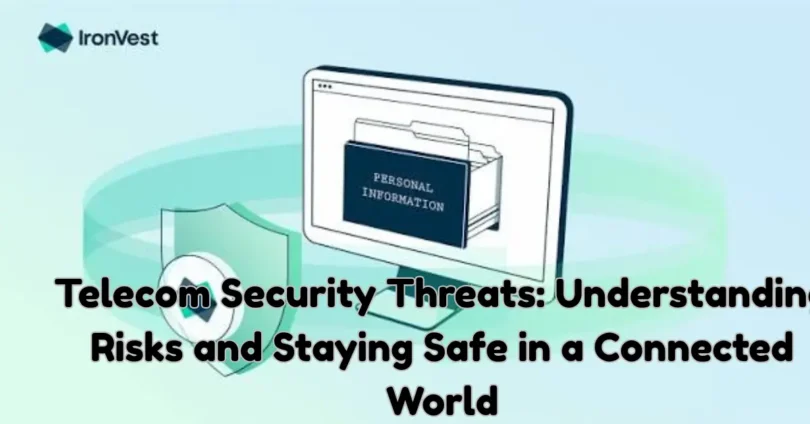
Telecom Security Threats are risks that can affect mobile networks, communication systems, SIM cards, user accounts, and personal information. These threats may expose private data, interrupt communication services, or allow unauthorized people to access sensitive information. Both individuals and businesses can be affected by telecom security problems.
Many users believe that having a password or using a trusted mobile network is enough to stay protected. In reality, telecom security requires more attention. Weak account protection, suspicious messages, outdated devices, unsafe applications, and SIM-related fraud can create serious privacy risks.
Understanding Telecom Security Threats is the first step toward safer communication. When users know how common threats work and recognize warning signs, they can make better decisions and protect their personal information.
This article explains the most common telecom security risks, why they happen, how they affect users, and what practical steps can help reduce them.
What Are Telecom Security Threats?
Telecom Security Threats are security risks that target telecommunication services, devices, networks, and user accounts. They can affect mobile operators, internet service providers, businesses, and individual customers.
These threats may involve unauthorized account access, identity misuse, data exposure, fraudulent calls, suspicious text messages, and communication interruptions.
Telecom systems carry a large amount of personal and business information. This makes them attractive targets for people who want to misuse data or take advantage of weak security practices.
For example, a person may receive a message pretending to come from a mobile network provider. The message may ask them to confirm account details or share a verification code. If the person trusts the message without checking its source, their information could be misused.
Telecom security is not only the responsibility of mobile network providers. Users also play an important role by protecting their devices, accounts, and personal information.
Why Telecom Security Is Important
Telecommunication services connect people and organizations across the world. A security problem in these services can affect privacy, communication, financial activities, and business operations.
There are several reasons why telecom security deserves attention.
1. Protection of Personal Information
Mobile phones and telecom accounts may contain names, phone numbers, contact details, messages, account information, and other private data.
If unauthorized people gain access to this information, they may misuse it for fraud, unwanted contact, or identity-related problems.
Strong security habits help reduce the chances of personal information being exposed.
2. Safe Mobile Communication
People regularly use calls, messages, and internet services to communicate. Security problems can make these activities less reliable.
For example, suspicious calls or fake messages may trick users into sharing information. Learning how to recognize these activities helps people communicate more safely.
3. Protection Against Financial Fraud
Mobile numbers are often connected to banking accounts, payment services, shopping accounts, and other digital platforms.
If someone gains unauthorized control of a phone number or related account, they may create problems for the account owner.
Telecom security helps users understand these risks and take steps to protect their connected services.
4. Business Communication Security
Businesses depend on mobile networks and internet services for customer support, employee communication, and daily operations.
A telecom security incident may interrupt communication, expose business information, or damage customer trust.
Companies need suitable security policies to protect their communication systems.
5. Reliable Network Services
Telecom networks support emergency communication, education, healthcare, transportation, and other important services.
Security weaknesses can affect network availability and service quality. Protecting telecom infrastructure helps maintain reliable communication.
Common Telecom Security Threats
Telecom Security Threats come in different forms. Some target individual users, while others affect mobile operators and large communication networks.
Understanding these threats can help people identify suspicious activity and respond appropriately.
1. SIM Swap Fraud
SIM swap fraud is a type of identity-related fraud in which someone attempts to gain control of another person’s mobile number by convincing a mobile operator to transfer the number to a different SIM card.
If the transfer is successful without the account owner’s permission, the legitimate user may lose access to mobile services.
This can create additional problems when the phone number is used for account recovery or verification.
Warning signs may include:
- Your phone suddenly stops receiving calls and messages.
- You lose mobile network service without an obvious reason.
- You receive unexpected account verification notifications.
- Your mobile operator contacts you about an account change you did not request.
- You notice unusual activity in accounts connected to your phone number.
How to stay protected:
Contact your mobile operator immediately if your SIM stops working unexpectedly. Ask the provider to check for unauthorized changes. Keep your account information private and use additional security methods for important online accounts.
2. Phishing Messages
Phishing is a common online threat that also affects telecom users. It involves fake messages or emails designed to make people reveal private information.
A phishing message may pretend to come from a mobile network provider, delivery company, bank, or customer support department.
It may claim that your account has a problem or that you need to verify your information urgently.
Common warning signs include:
- Unexpected messages asking for passwords.
- Requests for verification codes.
- Suspicious links.
- Messages containing spelling or grammar mistakes.
- Unusual offers or prizes.
- Pressure to respond immediately.
How to stay protected:
Never share passwords, PINs, or verification codes through unexpected messages. Contact the company through its official customer support channels if you are unsure whether a message is genuine.
3. Smishing Attacks
Smishing is a form of phishing that uses SMS text messages. The term combines SMS and phishing.
These messages may appear to come from a trusted organization. They often encourage users to click a link, provide personal information, or contact an unfamiliar number.
For example, a user may receive a message claiming that a mobile account will be suspended unless they confirm their details.
The message may look official, but its purpose could be to collect private information.
Protection tips:
- Be careful with unexpected text messages.
- Avoid opening unknown links.
- Do not share account passwords through SMS.
- Verify important announcements directly with the relevant organization.
- Report suspicious messages to your mobile operator when possible.
4. Caller ID Spoofing
Caller ID spoofing occurs when a caller makes their phone number appear different from the number they are actually using.
A suspicious caller may make a call appear to come from a familiar number, local organization, or trusted business.
This can make it harder for users to identify unwanted calls.
People may receive calls that appear to come from banks, mobile operators, government departments, or other organizations.
How to reduce the risk:
Do not trust a caller only because the displayed number looks familiar. Avoid sharing personal or financial information during unexpected calls. If someone claims to represent an organization, end the call and contact that organization through a trusted number.
5. Malware and Unsafe Mobile Applications
Malware is harmful software that may affect phones, computers, and other connected devices.
Some unsafe applications may request unnecessary permissions or collect information without users fully understanding what they are allowing.
An application that does not come from a trusted source may create privacy and security problems.
Common warning signs include:
- Unexpected advertisements.
- Unusual battery usage.
- Applications requesting unnecessary permissions.
- Unknown applications appearing on the device.
- Unexpected changes in device settings.
- Unusual account activity.
How to stay protected:
Download applications from official app stores whenever possible. Review application permissions before granting access. Keep your operating system updated and remove applications you no longer trust or use.
6. Telecom Network Outages
A telecom network outage occurs when communication services become unavailable or experience major interruptions.
Outages may happen because of technical failures, equipment problems, power interruptions, natural disasters, maintenance activities, or security incidents.
Although not every outage is a cyberattack, network availability is an important part of telecom security.
Outages can affect:
- Mobile calls.
- Text messaging.
- Mobile internet.
- Business communication.
- Online services that depend on mobile connectivity.
- Emergency communication in affected areas.
Telecom providers need reliable systems, monitoring, and recovery plans to reduce the impact of service interruptions.
7. Data Breaches
A data breach happens when private or protected information is accessed, exposed, or shared without proper authorization.
Telecom companies may handle customer information such as names, phone numbers, account details, service records, and other personal data.
If this information is exposed, affected users may face privacy risks and unwanted communication.
Ways to reduce personal risk:
- Use strong and unique passwords.
- Avoid sharing unnecessary personal details.
- Enable additional account security where available.
- Be careful with unexpected calls and messages.
- Pay attention to official security notifications from service providers.
If a company reports a data breach, follow its official guidance and review the security of accounts that may be affected.
8. Unauthorized Account Access
Unauthorized account access happens when someone enters a telecom account without the owner’s permission.
This may occur because of weak passwords, stolen login details, exposed verification codes, or poor account security practices.
An affected user may notice unexpected changes to account settings, service subscriptions, or personal information.
Protection tips:
Choose a strong password that is not used for other accounts. Enable multi-factor authentication when available. Never share login details with unknown people, and contact your provider if you notice changes you did not make.
9. SS7 Security Weaknesses
Signaling System No. 7, commonly known as SS7, is a set of signaling protocols used in traditional telecommunications networks.
It supports important network functions, including call routing, messaging, and communication between telecom systems.
Security weaknesses in older signaling environments can create risks for privacy and network reliability. These risks are especially important for mobile operators and telecom infrastructure providers.
Individual users cannot directly manage telecom signaling security. However, they can reduce their exposure to account-related risks by using strong authentication methods and avoiding reliance on SMS verification as the only protection for important accounts.
10. Social Engineering
Social engineering is a technique in which someone uses deception or false trust to convince another person to share information or perform an unsafe action.
In telecom-related situations, a person may pretend to be a customer support representative, mobile operator employee, or account security officer.
They may ask for personal details, passwords, or verification codes.
Common examples include:
- Fake customer support calls.
- False account security warnings.
- Messages pretending to confirm a service request.
- Requests for private account information.
- Unusual offers that require personal details.
The best protection is to verify unexpected requests independently and avoid sharing confidential information with unknown callers.
How Telecom Security Threats Affect Individuals
Telecom security incidents can create several problems for ordinary mobile users.
Loss of Account Access
If someone gains control of a phone number or account, the original owner may experience difficulties accessing mobile services and connected online accounts.
This can interrupt everyday communication and make account recovery more complicated.
Privacy Problems
Mobile devices contain personal conversations, contacts, photos, and account information.
If these details are exposed, users may lose control over information they expected to remain private.
Financial Risks
Phone numbers are sometimes connected to banking and payment services. Unauthorized access to related accounts can increase the risk of financial fraud.
Users should always protect their mobile accounts and avoid sharing verification codes.
Unwanted Calls and Messages
Some telecom-related security incidents involve spam calls, fraudulent messages, or repeated unwanted contact.
These activities can create stress and make it difficult to identify genuine communication.
Identity Misuse
Personal information collected through fraudulent calls or messages may be misused to impersonate someone.
Users should be careful about sharing identity details, account information, and personal documents.
How Telecom Security Threats Affect Businesses
Businesses depend on reliable communication systems. A telecom security problem can affect employees, customers, operations, and business information.
Communication Disruption
If phone or internet services stop working, employees may struggle to communicate with customers and colleagues.
This can delay business activities and affect customer service.
Customer Data Exposure
Businesses may store customer phone numbers, contact details, and account information.
A security incident could expose this information and damage customer confidence.
Financial Losses
Fraud, service interruptions, and recovery activities can create additional costs for organizations.
Businesses may also experience lost opportunities when communication services are unavailable.
Damage to Reputation
Customers expect businesses to handle their information responsibly. If an organization fails to protect customer data, its reputation may suffer.
Operational Problems
Telecom services support many daily business activities, including remote work, customer support, delivery coordination, and internal communication.
Security incidents can make these operations less reliable.
Best Ways to Protect Yourself from Telecom Security Threats
Users cannot control every part of a mobile network, but they can follow simple security practices to protect their devices and accounts.
1. Use Strong Account Passwords
Create strong passwords for mobile operator accounts and other important online services.
A good password should be difficult to guess and should not be reused across multiple accounts.
Avoid using simple information such as your name, birth date, or phone number.
A password manager can help you create and manage unique passwords.
2. Protect Your SIM Card
Your SIM card is connected to your mobile number and communication services.
Keep it secure and contact your mobile operator if you notice unexpected service changes.
Ask your provider whether it offers additional account protection, such as an account PIN or extra verification for important SIM-related requests.
3. Never Share Verification Codes
Verification codes help confirm account ownership. However, scammers may try to convince users to share these codes.
Never provide a verification code to someone who contacts you unexpectedly.
A genuine support representative should not need your private login code or password.
4. Keep Your Phone Updated
Operating system updates often include security improvements and fixes for known problems.
Install updates from official device settings and avoid delaying important security updates for long periods.
Also keep regularly used applications updated.
5. Download Applications Carefully
Before installing an application, check its developer, reviews, permissions, and source.
Avoid downloading applications from unfamiliar websites or opening unexpected installation files.
Remove applications that you no longer need, especially if they request unnecessary access to personal information.
6. Review Application Permissions
Some applications need access to certain phone features to work correctly. However, not every application needs access to your contacts, camera, microphone, or location.
Review permissions regularly and remove access that is not necessary.
For example, a basic calculator application usually does not need access to your contacts or microphone.
7. Avoid Suspicious Links
Unexpected links in messages and emails can lead to fake websites or unsafe downloads.
Before opening a link, consider whether you expected the message and whether the sender is genuine.
When checking an account, open the official application or enter the known website address yourself instead of following an unexpected link.
8. Enable Multi-Factor Authentication
Multi-factor authentication adds another security step when signing in to an account.
Depending on the service, this may involve an authenticator application, security key, or another approved verification method.
For important accounts, consider using an authentication method that does not depend entirely on SMS messages.
9. Monitor Your Mobile Account
Check your mobile account regularly for unexpected changes.
Pay attention to unfamiliar service requests, account notifications, and changes to your contact information.
If something looks unusual, contact your provider through its official customer support service.
10. Block and Report Suspicious Calls
If you receive repeated unwanted or suspicious calls, use your phone’s built-in blocking and reporting features.
You can also contact your mobile operator to ask about available spam protection services.
Avoid calling back unfamiliar numbers when there is no clear reason to do so.
11. Use a Secure Screen Lock
Protect your smartphone with a strong PIN, password, or supported biometric security feature.
A screen lock can help prevent unauthorized access if your phone is lost or left unattended.
Avoid simple PINs that are easy to guess.
12. Back Up Important Information
Regular backups help protect important information if your device becomes unavailable, damaged, or needs to be reset.
Use trusted backup services and secure your backup account with a strong password.
Remember that backups also contain personal information, so they should be protected carefully.
Telecom Security Best Practices for Mobile Network Providers
Mobile network providers have an important responsibility to protect communication systems and customer information.
They manage large networks that support millions of users. Therefore, their security practices must cover technology, employees, customer accounts, and business processes.
Strong Customer Verification
Telecom providers should use suitable identity verification procedures for sensitive account changes.
These procedures can help reduce unauthorized SIM-related requests and account access problems.
Regular Security Updates
Network equipment and software should receive appropriate security updates.
Providers should follow reliable maintenance processes to reduce known security weaknesses.
Network Monitoring
Continuous monitoring helps telecom companies identify unusual activity and service problems.
Monitoring systems can support faster investigation and response when suspicious events occur.
Employee Security Training
Employees who handle customer information should understand privacy rules and security procedures.
Regular training can help reduce mistakes and improve awareness of social engineering attempts.
Data Protection Policies
Telecom providers should limit access to customer information according to job responsibilities.
They should also use suitable data protection measures and follow applicable privacy regulations.
Incident Response Planning
A clear incident response plan helps providers manage security problems more effectively.
It should explain how to identify incidents, protect affected systems, communicate with customers, and restore normal services.
Regular Security Testing
Telecom companies should regularly review their systems and security controls.
Professional security assessments can help identify weaknesses before they create larger problems.
The Role of 5G in Telecom Security
5G is a newer generation of mobile network technology that supports faster communication, lower latency, and a larger number of connected devices.
It creates opportunities for smart cities, connected vehicles, industrial automation, and advanced communication services.
However, the growth of connected technology also introduces new security responsibilities.
More Connected Devices
5G supports many connected devices, including smartphones, sensors, smart appliances, and industrial equipment.
Each connected device needs suitable security protection.
Network Complexity
Modern telecom networks use advanced software and virtualized technologies.
These systems require careful configuration, monitoring, and regular security reviews.
Data Privacy
Connected devices may collect and transmit different types of information.
Organizations should manage this data responsibly and apply suitable privacy protections.
Secure Network Management
Telecom providers need strong access controls, network monitoring, and security policies to protect their infrastructure.
Users should also keep their connected devices updated and avoid using unsupported equipment.
Telecom Security and Mobile Privacy: What Is the Difference?
Telecom security and mobile privacy are closely related, but they do not mean exactly the same thing.
| Telecom Security | Mobile Privacy |
|---|---|
| Focuses on protecting communication networks and services | Focuses on protecting personal information |
| Includes network protection and account security | Includes control over personal data |
| Helps reduce unauthorized access | Helps limit unnecessary data collection |
| Covers telecom infrastructure and communication systems | Covers phone settings, applications, and personal information |
| Supports reliable communication services | Supports personal control over information |
For example, a mobile operator may use security controls to protect its communication network. A smartphone user may adjust privacy settings to limit which applications can access personal information.
Both areas are important for safe digital communication.
Common Mistakes That Increase Telecom Security Risks
Even when people understand basic security practices, small mistakes can create unnecessary risks.
Sharing Personal Information with Unknown Callers
Some people trust callers who claim to represent banks, mobile operators, or government departments.
However, a familiar company name does not prove that the caller is genuine.
Always verify unexpected requests independently.
Using the Same Password Everywhere
Reusing one password across several accounts creates additional risks.
If one account becomes exposed, other accounts using the same password may also become vulnerable.
Use unique passwords for important services.
Ignoring Security Notifications
Mobile providers and online services may send alerts about unusual account activity.
Ignoring these notifications can delay the discovery of a security problem.
Read account alerts carefully and contact the relevant provider if something appears suspicious.
Installing Unknown Applications
Applications from unfamiliar sources may not provide reliable security or privacy protection.
Use trusted application stores and review permissions before installation.
Trusting Every SMS Message
A professional-looking message can still be fraudulent.
Avoid sharing passwords, payment details, and verification codes in response to unexpected SMS messages.
Delaying Software Updates
Old software may contain known security weaknesses.
Keep your device and applications updated to benefit from available security improvements.
What Should You Do If You Suspect a Telecom Security Problem?
If you notice unusual mobile activity, it is important to respond quickly and carefully.
The right response depends on the type of problem, but the following steps can help.
Step 1: Check Your Mobile Network
If your phone suddenly loses service, first check whether there is a general network problem.
Restarting your device may help with ordinary connection issues. If the problem continues, contact your mobile operator through an official support channel.
Step 2: Contact Your Mobile Operator
Report unexpected SIM changes, unusual account activity, or suspicious service requests.
Ask the provider to review your account and explain the available steps for securing it.
Step 3: Secure Important Accounts
If you suspect that your phone number or account has been compromised, review important accounts connected to that number.
Change passwords from a trusted device if necessary and enable stronger authentication methods where available.
Step 4: Review Recent Activity
Check account notifications, login history, and recent changes.
Look for unfamiliar devices, unexpected password changes, or services you did not activate.
Step 5: Remove Untrusted Applications
If you suspect that an application is causing a security problem, review your installed applications and remove anything you do not recognize or trust.
Use your device’s built-in security features to check for potential problems.
Step 6: Report Financial Concerns
If you notice suspicious activity involving banking or payment accounts, contact the relevant financial service provider immediately.
Follow its official account security and reporting process.
Step 7: Keep Records of the Incident
Save relevant notifications, dates, and official communication related to the problem.
These details may help your mobile operator or another service provider investigate the issue.
Telecom Security Trends to Watch
Telecom technology continues to develop, and security risks change as communication systems become more advanced.
Understanding important trends can help users and businesses prepare for future challenges.
Artificial Intelligence in Fraud Prevention
Artificial intelligence can help organizations identify unusual patterns in network activity and communication behavior.
Telecom providers may use AI-supported systems to improve fraud detection and support security monitoring.
However, AI tools also require careful management to reduce false alerts and protect customer privacy.
Growth of IoT Devices
The Internet of Things connects everyday devices to the internet.
Smart cameras, connected appliances, sensors, and industrial equipment may depend on telecom networks.
As the number of connected devices grows, organizations need to ensure that these devices receive appropriate security updates and access controls.
Stronger Authentication Methods
Traditional passwords and SMS verification may not provide enough protection for every account.
More services are adopting stronger authentication methods, including authenticator applications, passkeys, and security keys.
These methods can help reduce account takeover risks when properly implemented.
Increased Focus on Data Privacy
People are becoming more aware of how their information is collected and used.
Telecom providers and digital services need clear privacy policies and responsible data management practices.
Users should also understand what information they share and which services can access it.
Greater Need for Cybersecurity Awareness
Security technology is important, but people also need to understand common risks.
Education about fake calls, phishing messages, account protection, and safe mobile habits can reduce many avoidable security problems.
How Parents and Families Can Improve Telecom Security
Families use mobile devices for communication, education, entertainment, and daily activities.
Teaching safe telecom habits can help family members avoid common problems.
Explain the Risks of Suspicious Messages
Children and teenagers should understand that unexpected messages may be fraudulent.
They should avoid opening suspicious links or sharing personal information with unknown people.
Use Suitable Privacy Settings
Review privacy settings on mobile devices and applications.
Limit unnecessary access to contacts, location, photos, and other personal information.
Protect Mobile Accounts
Use strong passwords and suitable account recovery options.
Family members should know that verification codes and passwords must remain private.
Discuss Unwanted Calls
Explain that callers may pretend to represent trusted organizations.
Family members should verify important requests through official channels instead of sharing details during unexpected calls.
Keep Devices Updated
Encourage everyone in the household to install important updates and use trusted applications.
These simple habits can improve digital safety for the whole family.
Frequently Asked Questions About Telecom Security Threats
1. What are Telecom Security Threats?
Telecom Security Threats are risks that affect mobile networks, communication services, SIM cards, telecom accounts, and connected devices. They may involve fraud, unauthorized access, data exposure, or service interruptions.
2. What is the most common telecom security threat?
Phishing messages, fraudulent calls, SIM-related fraud, and unauthorized account access are common concerns for mobile users. The exact risks vary by region, provider, and technology.
3. How can I protect my mobile number?
Keep your mobile account details private, use additional account protection where available, and contact your mobile operator if you notice unexpected SIM changes or service interruptions.
4. What is SIM swap fraud?
SIM swap fraud happens when someone attempts to transfer another person’s mobile number to a different SIM card without proper authorization. It can interrupt the original owner’s service and create risks for accounts connected to the number.
5. Can a text message create a security risk?
Yes. Fraudulent text messages may contain suspicious links or requests for personal information. Avoid sharing passwords or verification codes and verify unexpected messages through official channels.
6. What is the difference between phishing and smishing?
Phishing is a general type of online deception used to collect private information. Smishing is a form of phishing that uses SMS text messages.
7. Why is telecom security important for businesses?
Businesses depend on reliable communication systems and may handle sensitive customer information. Telecom security helps protect communication services, business data, and customer trust.
8. Can public Wi-Fi affect telecom security?
Public Wi-Fi can create privacy and security risks, especially when users access sensitive accounts through unsecured connections. Avoid entering important account information on unfamiliar networks and use trusted security protections.
9. How can I identify a suspicious telecom call?
Be careful if a caller asks for passwords, verification codes, payment information, or urgent account changes. Verify the caller’s identity independently before sharing any information.
10. Does 5G have security risks?
Like other communication technologies, 5G requires proper security management. Connected devices, network complexity, and data privacy are important areas that providers and organizations must protect.
11. What should I do if my SIM suddenly stops working?
First, check whether your mobile operator is experiencing a network problem. If service does not return, contact the provider through an official channel and ask it to check for unauthorized account or SIM changes.
12. Are telecom security threats only a problem for large companies?
No. Individuals, families, small businesses, and large organizations can all experience telecom-related security problems.
13. How often should I review my mobile security settings?
It is useful to review important settings regularly, such as application permissions, account passwords, connected devices, and software updates. You should also check them after installing new applications or noticing unusual activity.
14. Can strong passwords prevent all telecom security threats?
No. Strong passwords help protect accounts, but they cannot prevent every type of threat. Users also need to recognize fraudulent messages, protect verification codes, and monitor their mobile accounts.
15. Who is responsible for telecom security?
Telecom providers are responsible for protecting their networks and services. Users must protect their devices and accounts, while businesses should follow suitable security policies. Everyone has a role in improving communication safety.
Conclusion
Telecom Security Threats are an important concern in today’s connected world. Mobile networks, SIM cards, communication services, and online accounts support many daily activities, but they can also face security risks.
Threats such as SIM swap fraud, phishing, smishing, caller ID spoofing, malware, data breaches, and unauthorized account access can affect both individuals and businesses. Understanding these risks makes it easier to recognize suspicious activity and take suitable precautions.
Simple habits can make a meaningful difference. Use strong passwords, protect verification codes, keep your phone updated, review application permissions, and contact your mobile operator when you notice unusual account activity.
Telecom providers also need strong security systems, regular monitoring, employee training, and effective incident response plans.
No security method can remove every risk, but awareness and responsible digital habits can reduce many common problems. By understanding Telecom Security Threats and following practical protection steps, users and organizations can build safer and more reliable communication practices.