
Receiving a phone call from an unknown number can be confusing, especially when the caller does not leave a message or calls repeatedly. Many people search for answers to the question, “Unknown Number Calling Me” because they want to understand who is contacting them, why the call is happening, and whether answering it could create a security risk.
Unknown calls are not always dangerous. A call may come from a delivery service, a business, a hospital, a school, a customer, or someone who has recently changed their phone number. However, some unknown callers may be involved in spam, unwanted marketing, impersonation, or phone scams.
Knowing how to handle these calls can help you protect your privacy, avoid unnecessary interruptions, and make better decisions about answering unfamiliar numbers. You do not need to answer every call that appears on your screen. A few simple precautions can help you determine whether a call is important or suspicious.
This guide explains why unknown numbers call, how to identify unfamiliar callers, what to do when you receive repeated calls, and how to reduce unwanted phone interruptions on Android and iPhone devices.
What Does “Unknown Number Calling Me” Mean?
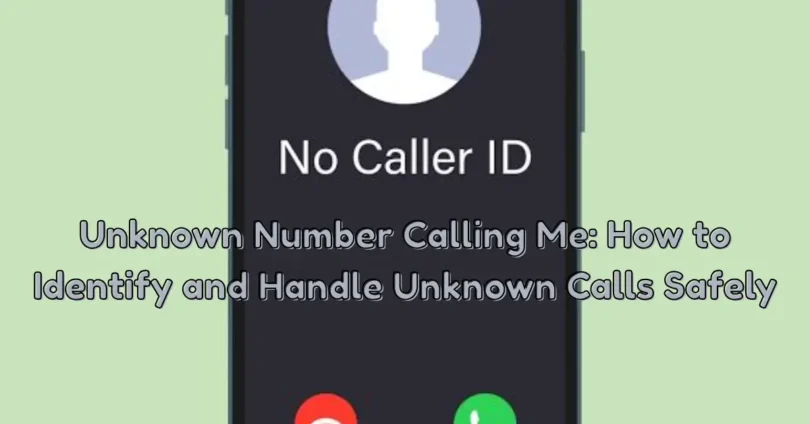
The phrase “Unknown Number Calling Me” usually refers to a phone call from a number that is not saved in your contacts or cannot be recognized by your phone. Depending on your mobile network and device settings, the caller may appear as an unfamiliar number, an unknown caller, or a private number.
There are several reasons why a number may appear unknown. The caller might be using a new SIM card, contacting you for the first time, or calling through a business phone system. Sometimes, the caller’s number may not be displayed because of network limitations or caller ID settings.
It is important to understand the difference between an unknown number and a hidden number.
- Unknown number: The caller’s phone number is visible, but you do not recognize it.
- Private number: The caller has restricted their number from appearing on your screen.
- No Caller ID: Your phone does not receive or display the caller’s identification information.
- Unlisted number: The number may not appear in publicly available phone directories.
These situations are different, but they all require careful handling.
Why Is an Unknown Number Calling Me?
There is no single reason why an unfamiliar number may contact you. Understanding common possibilities can help you decide what to do next.
1. A Genuine Person Is Trying to Contact You
Someone may call from a number you have not saved in your contacts. It could be a new colleague, a relative using another phone, a customer, or someone who received your number from a mutual contact.
Before assuming that every unknown call is unwanted, consider whether you are expecting a call from someone.
2. Delivery or Courier Services
Delivery companies sometimes contact customers using numbers that are not saved in their phones. A delivery driver may call to confirm an address, ask about availability, or provide information about an order.
If you are expecting a parcel, an unknown call could be related to its delivery. However, never share payment details, passwords, or verification codes simply because someone claims to be a delivery representative.
3. Business and Customer Service Calls
Banks, mobile network providers, online stores, and other organizations may contact customers from different phone numbers.
A legitimate organization should not pressure you into sharing confidential information during an unexpected call. If the caller claims to represent a company, end the conversation and contact the organization through its officially listed customer service channel.
4. Telemarketing and Promotional Calls
Some businesses use phone calls to promote products, services, offers, or subscriptions. These calls may come from numbers that are unfamiliar to you.
Telemarketing calls are not necessarily scams, but repeated promotional calls can become annoying. You can use your phone’s blocking and filtering features to reduce unwanted interruptions.
5. Automated Robocalls
Robocalls are automated calls that deliver recorded messages instead of connecting you directly with a person.
Some automated calls are used for legitimate reminders and announcements. Others may promote suspicious services or attempt to convince people to share personal information.
Be careful when an automated message creates urgency or asks you to follow unexpected instructions.
6. Phone Scams
Scammers may use unfamiliar numbers to contact people and pretend to represent banks, government departments, mobile network providers, or other trusted organizations.
Their goal may be to obtain personal information, financial details, account passwords, or verification codes.
A caller’s claimed identity should never be accepted without verification.
7. Wrong Number Calls
Sometimes an unfamiliar person simply enters the wrong number. They may call once, realize their mistake, and never contact you again.
If the caller does not request personal information or behave suspiciously, the call may be an ordinary mistake.
8. Number Spoofing
Caller ID spoofing occurs when a caller makes the displayed number appear different from the number actually being used.
This can make a suspicious call look like it comes from a familiar area or organization. Therefore, seeing a recognizable number does not always prove that the caller is genuine.
How to Identify an Unknown Caller
If you keep receiving unfamiliar calls, you may want to find out whether the number belongs to a real person, a business, or a suspected spam caller.
You can take several safe steps before deciding whether to answer or return the call.
Check the Number Carefully
Start by looking at the complete phone number displayed on your screen. Check its country code and area code if available.
An unfamiliar country code may indicate an international call. However, the displayed number alone cannot confirm the caller’s actual location because caller ID information can sometimes be manipulated.
Avoid calling international numbers back if you do not recognize them and have no reason to expect contact.
Search for Public Business Information
If the caller claims to represent a company, search for the organization’s official contact information independently.
Compare the number with the details published through the organization’s verified communication channels. Do not rely entirely on information provided by the caller.
Use Built-In Caller Identification
Many modern smartphones include caller identification and spam detection features.
These features may display a business name or warn you when a number has been reported as suspicious. Their results are not always accurate, so treat them as helpful indicators rather than guaranteed proof.
Check Your Voicemail
Legitimate callers may leave a voicemail explaining why they contacted you.
Listen carefully to the message and check whether it provides a reasonable explanation. Be cautious if the caller demands immediate action, threatens consequences, or asks you to share confidential information.
Look for Repeated Calling Patterns
The frequency and timing of calls can provide useful information.
For example, repeated calls from the same unfamiliar number within a short period may indicate telemarketing, automated calling, or an attempt to get your attention.
However, repeated calls alone do not prove that the caller is a scammer.
What Should You Do When an Unknown Number Calls You?
Your response should depend on the situation. If you are not expecting an important call, there is usually no need to answer immediately.
Here are practical steps to follow.
1. Do Not Feel Pressured to Answer
You are not required to answer every incoming call. If a number is unfamiliar, let it go to voicemail when possible.
A genuine caller can usually leave a message or contact you through another appropriate method.
2. Avoid Sharing Personal Information
Never share sensitive information with an unfamiliar caller simply because they sound professional or claim to represent a trusted organization.
Keep the following information private:
- Account passwords
- Banking PINs
- One-time verification codes
- Card security codes
- Personal identification details
- Private account recovery information
A legitimate support representative should not ask you to reveal your password or one-time security code over an unexpected call.
3. Do Not Follow Suspicious Instructions
Some callers may ask you to install an application, open an unfamiliar website, or change your account settings.
Do not follow instructions unless you have independently confirmed that the request is genuine.
4. Avoid Making Immediate Payments
Be especially careful if an unknown caller claims that you must pay a fee to prevent account suspension, resolve a legal issue, or receive a prize.
Do not transfer money during an unexpected call. Verify the situation directly with the organization using its official contact details.
5. End Suspicious Conversations
If a caller becomes aggressive, makes unrealistic promises, or repeatedly demands confidential information, end the conversation.
You do not need to explain your decision or continue speaking with someone who makes you uncomfortable.
6. Block Unwanted Numbers
If a number repeatedly contacts you without a legitimate reason, use your phone’s blocking feature.
Blocking can prevent many future calls from that particular number, although it may not stop callers who use different numbers.
7. Report Suspicious Calls
Depending on your country and mobile network, you may be able to report spam or fraudulent calls through your service provider or an appropriate consumer protection authority.
Reporting suspicious activity can help improve awareness and protect other people.
How to Stop Unknown Number Calls on Android
Android phones provide several tools that can help users manage unfamiliar and unwanted calls. The exact names of settings may differ depending on the phone manufacturer and Android version.
Enable Caller ID and Spam Protection
Many Android devices include caller identification and spam protection features in the Phone application.
To check these settings:
- Open the Phone app.
- Tap the three-dot menu.
- Open Settings.
- Find Caller ID and Spam or a similarly named option.
- Enable available identification and spam filtering features.
Your device may now display warnings for some suspected spam calls.
Block a Specific Number
If an unfamiliar number repeatedly bothers you, you can block it.
- Open the Phone app.
- Go to Recent Calls.
- Select the number you want to block.
- Open its details or call options.
- Choose Block or Block Number.
The blocked number may no longer be able to contact you through ordinary calls, depending on your device and network.
Use Do Not Disturb
Do Not Disturb can reduce interruptions by allowing calls only from selected contacts or other permitted groups.
You can usually find this option in your phone’s sound or notification settings.
Review the allowed callers carefully so that you do not accidentally miss important calls.
Review Call Permissions
Check which applications have access to your phone and call-related information. Remove unnecessary permissions from applications that do not need them.
This is particularly important when an unfamiliar application requests access without providing a clear reason.
How to Stop Unknown Number Calls on iPhone
iPhone users also have built-in features that help manage unwanted calls.
Silence Unknown Callers
The Silence Unknown Callers feature can reduce interruptions from numbers that are not recognized by your iPhone.
To enable it:
- Open Settings.
- Select Apps.
- Choose Phone.
- Find Silence Unknown Callers.
- Turn the feature on.
On supported iOS versions, calls from unsaved numbers may be silenced and sent to voicemail. However, calls from recent outgoing contacts, Siri Suggestions, or other recognized sources may still ring.
Remember that this setting can also silence legitimate calls from people whose numbers are not saved in your contacts.
Block a Specific Caller
To block an unwanted number:
- Open the Phone app.
- Select Recents.
- Find the unfamiliar number.
- Tap the information icon.
- Select Block Caller.
You can manage blocked contacts later through your iPhone settings.
Use Focus Settings
Focus modes can help control when calls are allowed to reach you.
You can configure selected contacts to contact you during specific times while reducing interruptions from other callers.
Keep iOS Updated
Software updates may include improvements to security, privacy, and call management features.
Install updates through your iPhone’s official settings and avoid downloading unofficial software to manage unknown calls.
Unknown Number vs. Spam Call vs. Scam Call
People sometimes use these terms interchangeably, but they describe different situations.
| Call Type | Meaning | Recommended Action |
|---|---|---|
| Unknown call | A number you do not recognize | Check the caller’s identity |
| Spam call | An unwanted or repetitive call | Filter or block it |
| Scam call | A call intended to deceive you | End the call and report it |
| Private call | The caller’s number is hidden | Avoid sharing information |
| Robocall | An automated recorded call | Listen carefully and verify its purpose |
An unknown call is not automatically a scam. The important thing is to recognize suspicious behavior and avoid sharing private information.
Warning Signs of a Suspicious Unknown Caller
Some calls contain warning signs that should make you cautious.
The Caller Creates Urgency
A caller may claim that you must act immediately to prevent an account problem or other serious consequence.
Scammers often use urgency to prevent people from checking information independently.
The Caller Requests Verification Codes
One-time codes are designed to verify access to accounts or services. Sharing them with an unknown caller can allow someone else to access your account.
Never reveal these codes to an unexpected caller.
The Caller Demands Payment
Unexpected requests for gift cards, cryptocurrency, bank transfers, or unusual payment methods should be treated carefully.
Verify any claimed payment requirement directly with the organization.
The Caller Offers Something Unrealistic
A caller may promise a large prize, free gift, guaranteed income, or special reward without a clear explanation.
If an offer sounds unrealistic, take time to verify it before responding.
The Caller Refuses Independent Verification
A suspicious caller may discourage you from contacting the organization directly.
A genuine organization should not prevent you from checking a request through its official communication channels.
The Caller Requests Remote Access
Be cautious if an unfamiliar person asks you to install remote-access software or allow them to control your phone or computer.
Do not provide remote access to someone whose identity and purpose you have not independently verified.
Why Do Unknown Numbers Keep Calling Me?
Repeated calls from unknown numbers can be frustrating. There are several possible explanations.
Your Number May Be on a Marketing List
Some businesses use contact lists for promotional campaigns. If your number has been shared with marketing services, you may receive calls from different companies.
Automated Calling Systems
Some organizations use automated systems to contact large groups of people. These systems may call repeatedly or use different numbers.
Your Number May Have Been Shared
Your phone number may appear in online forms, public listings, business records, or other databases.
This does not automatically mean that your information has been stolen. However, sharing your number with unnecessary services can increase unwanted contact.
Different Numbers May Be Used for Similar Calls
Some callers use multiple numbers, making it difficult to stop unwanted calls by blocking only one number.
In these situations, spam filtering, provider-level services, and careful handling of unfamiliar calls may be more effective than individual blocking alone.
Should You Call Back an Unknown Number?
Calling back an unknown number is not always necessary. Before returning a call, consider whether you were expecting contact from a person or organization.
If the caller did not leave a message and you have no reason to recognize the number, it may be safer to wait.
Some international missed-call scams encourage people to return calls to expensive numbers. Unexpected callbacks may also connect you to unwanted sales or suspicious services.
Follow these precautions:
- Do not return calls from unfamiliar international numbers without a clear reason.
- Check whether the caller left a voicemail.
- Verify business numbers independently.
- Avoid sharing personal information during callbacks.
- Do not follow payment instructions from an unverified caller.
If the call appears important, contact the relevant organization through its official customer service channel instead of relying on the incoming number.
Can an Unknown Caller Hack Your Phone by Calling?
Receiving an ordinary phone call does not usually give someone access to your phone’s private information.
A caller generally cannot see your photographs, messages, passwords, or banking details simply because your phone rings.
However, a phone call can be used as part of a social engineering attempt.
For example, a suspicious caller may try to convince you to:
- Reveal a verification code.
- Share your account password.
- Install an unfamiliar application.
- Open a suspicious website.
- Transfer money.
- Provide remote access to your device.
The main risk is often the information or actions a caller tries to obtain from you, rather than the simple act of receiving a call.
Keep your phone updated, use strong account security, and avoid following instructions from unverified callers.
How to Protect Your Phone Number from Unwanted Calls
Protecting your phone number can reduce unnecessary contact and improve your privacy.
Share Your Number Carefully
Only provide your phone number to services that genuinely need it. Before entering it into an online form, check whether the website or application is trustworthy.
Avoid Publicly Posting Your Number
Publishing your personal phone number on public social media profiles or open discussion pages can make it easier for unwanted callers to find it.
Use private contact methods when possible.
Review Application Privacy Settings
Some applications request access to contacts or other personal information without needing it for their main features.
Review permissions regularly and remove unnecessary access.
Be Careful with Online Registration
Some websites ask for a phone number during registration even when it is not essential.
Read the form carefully and understand how your information may be used before submitting it.
Use Strong Account Security
Protect important accounts with unique passwords and two-step verification.
Where available, consider using an authenticator application or passkeys instead of relying only on SMS verification.
Avoid Responding to Suspicious Messages
Unknown callers may also send text messages after an unanswered call.
Do not open unexpected attachments or provide information through suspicious messages.
Keep Your Contact List Organized
Save important numbers so you can recognize trusted contacts more easily.
This can help reduce confusion when an important person or service calls.
What If You Accidentally Answer a Scam Call?
Answering an unfamiliar call does not automatically mean that your phone or personal information is compromised.
The next steps depend on what happened during the conversation.
If You Only Answered the Call
If you answered but did not share information, install anything, or follow suspicious instructions, there may be nothing further you need to do.
You can end the call, block the number if necessary, and remain cautious about future contact.
If You Shared Personal Information
If you disclosed account details or other sensitive information, take steps to protect the affected accounts.
Change compromised passwords using official account settings and review recent account activity.
If You Shared a Verification Code
Contact the relevant service through its official support channel. Check whether anyone accessed your account and secure it immediately.
If You Shared Financial Information
Contact your bank or payment provider using a verified contact method. Ask about protecting your account and monitoring suspicious transactions.
If You Installed an Unfamiliar Application
Review the application and its permissions. If you suspect that it may be unsafe, remove it and follow your device manufacturer’s security guidance.
For serious concerns, seek assistance from a trusted technical professional.
Are Unknown Number Lookup Services Reliable?
Many online services claim to identify unknown callers. Some provide information from public business listings, user-submitted reports, or other available databases.
These services can sometimes help identify a business or a number that other users have reported.
However, they are not always accurate.
A number may belong to a different person now, information may be outdated, or a caller may be using spoofed caller ID information.
Keep these points in mind:
- Do not assume every lookup result is correct.
- Avoid services that request unnecessary personal information.
- Do not upload your private contact list to an unfamiliar application.
- Check the privacy policy before using a caller identification service.
- Never treat a lookup result as proof of someone’s identity.
Caller lookup tools should support your judgment, not replace independent verification.
How Mobile Network Providers Help Reduce Unwanted Calls
Mobile network providers play an important role in managing spam and suspicious calls.
Depending on the country and provider, they may offer services such as:
- Spam call detection.
- Caller identification.
- Suspicious number reporting.
- Call blocking services.
- Fraud awareness notifications.
- Customer support for unwanted calls.
Some providers also use network-level systems to detect unusual calling patterns.
If you receive frequent suspicious calls, contact your mobile network provider and ask which call protection options are available for your number.
Common Mistakes to Avoid When Receiving Unknown Calls
Even careful phone users can make mistakes when dealing with unfamiliar callers.
Calling Back Every Missed Call
Not every missed call requires a callback. If you do not recognize the number and have no reason to expect contact, check for a voicemail first.
Trusting a Familiar-Looking Number
Caller ID information can sometimes be spoofed. Verify the caller’s identity independently before discussing important matters.
Sharing Information Because the Caller Sounds Professional
Scammers may use confident language and familiar company names. A professional tone does not prove that someone is genuine.
Ignoring Repeated Suspicious Calls
If suspicious calls continue, consider using blocking features, reporting the numbers, and contacting your network provider.
Installing Unknown Caller Identification Apps
Some applications may request excessive permissions or collect unnecessary information. Choose trusted services and review their privacy practices.
Giving Verification Codes to Callers
Never share one-time security codes with someone who unexpectedly calls you.
Best Practices for Families and Older Phone Users
Unknown calls can create confusion for people who are less familiar with modern phone scams.
Families can help by discussing basic phone safety and explaining how to verify unexpected requests.
Useful practices include:
- Save important family and emergency contacts.
- Explain that unknown callers should not receive passwords or verification codes.
- Encourage people to let unfamiliar calls go to voicemail.
- Teach family members how to block unwanted numbers.
- Explain why unexpected payment requests should be verified.
- Review phone privacy and security settings together.
- Encourage people to ask a trusted person for help when a call seems suspicious.
These simple habits can make phone communication safer for everyone.
Frequently Asked Questions About Unknown Number Calling Me
1. Why Is an Unknown Number Calling Me?
An unknown number may belong to a genuine person, business, delivery service, telemarketer, automated calling system, or scammer. Check the caller’s identity before sharing information.
2. Should I Answer an Unknown Number?
You do not have to answer every unfamiliar call. If you are not expecting an important call, let it go to voicemail and review any message before responding.
3. How Can I Find Out Who Is Calling Me?
Check the number, review any voicemail, use built-in caller identification features, and compare claimed business details with official contact information. Remember that lookup services may not always be accurate.
4. Why Does an Unknown Number Keep Calling Me?
Repeated calls may come from telemarketing systems, automated dialers, businesses, or suspicious callers using different numbers. Blocking and spam filtering may help reduce interruptions.
5. Can I Block All Unknown Numbers?
Many Android and iPhone devices offer options to silence or filter certain unfamiliar calls. However, blocking every unsaved number may cause you to miss important calls.
6. What Does No Caller ID Mean?
No Caller ID usually means that your phone does not display the caller’s number. The caller may have restricted their number or the information may not have been provided by the network.
7. Can an Unknown Caller See My Personal Information?
An ordinary incoming call does not normally give the caller access to your private information. However, a caller may try to trick you into sharing sensitive details or taking unsafe actions.
8. Is Every Unknown Number a Scam?
No. Unknown numbers can belong to genuine individuals, businesses, service providers, and other legitimate callers. Look for suspicious behavior instead of judging a call only by its number.
9. Should I Call Back a Private Number?
If you do not recognize the caller and have no reason to expect contact, there is usually no need to return the call. Wait for a message or verify the purpose through another method.
10. How Do I Stop Unknown Calls on Android?
You can use caller ID and spam protection, block specific numbers, and configure Do Not Disturb settings. Available options depend on your Android version and phone manufacturer.
11. How Do I Stop Unknown Calls on iPhone?
You can enable Silence Unknown Callers, block specific numbers, and use Focus settings to control incoming calls.
12. Can Scammers Use Fake Phone Numbers?
Yes. Caller ID spoofing can make a call appear to come from a different number. Always verify unexpected requests independently.
13. What Should I Do If a Caller Asks for My OTP?
Do not share it. End the call and contact the relevant service through its official support channel if you believe your account needs attention.
14. Can Blocking One Number Stop All Spam Calls?
No. Blocking a number usually affects that particular number. Some unwanted callers may use different numbers, so spam filtering and provider support can also be useful.
15. What Is the Safest Way to Handle an Unknown Call?
Stay calm, avoid sharing personal information, do not follow suspicious instructions, and verify the caller’s identity independently before taking action.
Final Thoughts
Receiving an unknown call does not automatically mean that something is wrong. It may be a genuine person, a business, a delivery service, or an unwanted marketing call. However, unfamiliar callers can also use phone conversations to promote scams and obtain private information.
When you search for Unknown Number Calling Me, the most important thing to understand is how to handle unfamiliar calls safely. You can check caller information, listen to voicemail, use built-in spam protection, block repeated unwanted numbers, and contact organizations through verified channels.
Avoid sharing passwords, verification codes, financial details, or other sensitive information with unexpected callers. If a call creates pressure or seems suspicious, end the conversation and verify the situation independently.
A few simple phone safety habits can help protect your privacy, reduce unwanted interruptions, and make everyday mobile communication more secure.