
Introduction
Spam calls have become a common problem for mobile phone users. Almost everyone has received an unexpected call from an unknown number offering unwanted services, promoting products, or asking for personal information. Some calls are simply annoying marketing attempts, while others may involve scams designed to trick people into sharing confidential details or making unnecessary payments.
Receiving repeated unwanted calls can interrupt your daily routine, create privacy concerns, and make it difficult to identify genuine communication. In some cases, fraudsters may pretend to represent banks, telecom companies, delivery services, or government organizations to gain your trust.
Learning how to stop spam calls can help you take better control of your phone and protect your personal information. Fortunately, modern smartphones include several useful features for identifying, filtering, and blocking unwanted callers. Mobile network providers may also offer additional call protection services.
This guide explains why spam calls happen, how to block them on Android and iPhone, and which habits can reduce unwanted calls. It also covers warning signs, common mistakes, and practical steps to protect yourself from suspicious phone communication.
What Are Spam Calls?
Spam calls are unwanted telephone calls made for marketing, advertising, promotional, or fraudulent purposes. They often come from unknown numbers and may happen repeatedly.
Some spam calls are generated by automated calling systems, while others are made by people working for marketing companies or attempting to conduct fraudulent activities.
Not every call from an unknown number is spam. A genuine customer service representative, delivery driver, school, or business may also contact you from a number you do not recognize.
The important thing is to identify suspicious communication before sharing personal information or taking action.
Common examples of spam calls include:
- Unwanted promotional and marketing calls.
- Automated calls offering products or services.
- Fake prize and lottery announcements.
- Calls claiming that your mobile account has a problem.
- Suspicious financial or payment requests.
- Calls pretending to represent trusted organizations.
- Repeated calls from unknown or changing numbers.
Understanding these categories makes it easier to choose the right way to manage unwanted calls.
Why Do You Receive Spam Calls?
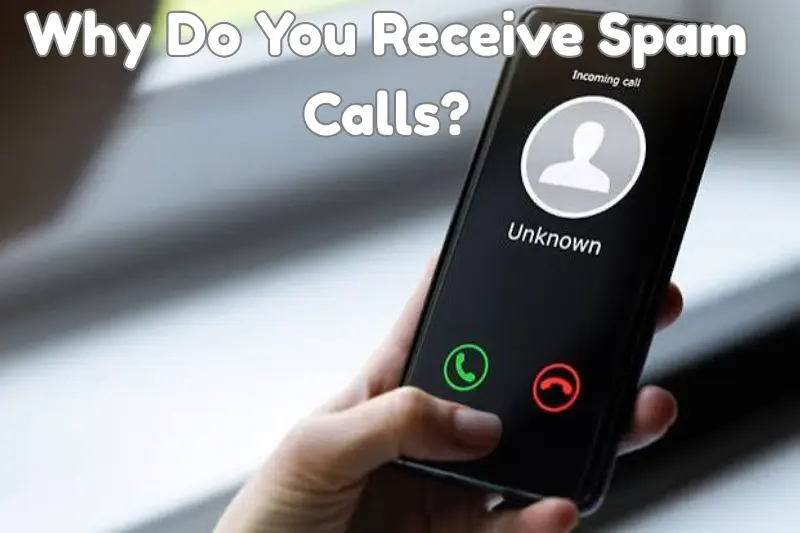
There are several reasons why your phone number may receive unwanted calls. Understanding these reasons can help you reduce future interruptions.
1. Sharing Your Number Online
When you enter your phone number on websites, forms, applications, or online services, it may be collected for communication or marketing purposes.
Some services may share information with third parties according to their privacy practices. Others may fail to protect customer information properly.
Avoid sharing your mobile number on websites that do not clearly explain why they need it.
2. Online Forms and Registrations
Many websites request phone numbers during account creation, newsletter registration, surveys, and promotional activities.
Some legitimate businesses use these details to send marketing messages or make promotional calls.
Read privacy notices carefully and avoid providing your number when it is not necessary.
3. Data Breaches
A data breach occurs when personal information is exposed or accessed without authorization.
If a database containing phone numbers becomes exposed, those numbers may later be used for unwanted communication or fraudulent attempts.
4. Automatic Number Dialing
Some marketing and communication systems use automated technology to contact large groups of phone numbers.
This can result in repeated calls, including calls from unfamiliar or changing numbers.
5. Previous Marketing Subscriptions
You may receive promotional calls after registering for offers, requesting information, or subscribing to certain services.
Some businesses continue contacting customers until they request that marketing communication stop.
6. Random Calling Attempts
Some unwanted callers contact numbers without knowing much about the person receiving the call.
Receiving a spam call does not necessarily mean your phone has been hacked or your personal information has been stolen.
15 Effective Ways to Stop Spam Calls
You do not need advanced technical knowledge to reduce unwanted calls. A combination of smartphone settings, carrier services, and careful communication habits can make a significant difference.
1. Block Spam Numbers
Blocking a number is one of the simplest ways to stop repeated unwanted calls.
Most smartphones allow users to block numbers directly from the call history.
When you block a number, your phone generally stops receiving normal calls from that specific number. However, blocking one number may not stop callers who use different numbers.
If you continue receiving calls from the same source, review your phone’s blocking options and report the number when appropriate.
2. Enable Spam Call Detection
Many modern smartphones include built-in spam identification features.
These features may display warnings when an incoming call appears suspicious or has been reported by other users.
Depending on your device, you may find spam protection options inside the Phone application settings.
Enable available caller identification and spam warning features to make it easier to recognize unwanted communication.
3. Silence Unknown Callers
Some smartphones allow users to silence calls from numbers that are not saved in their contacts.
This can reduce interruptions from unfamiliar callers.
However, it may also silence genuine calls from people whose numbers you have not saved.
If you regularly receive important calls from delivery services, schools, workplaces, or customers, consider how this setting may affect you before enabling it.
4. Avoid Answering Suspicious Calls
If an unfamiliar number repeatedly calls without leaving a message, think carefully before answering.
Some suspicious callers may try to confirm whether a phone number is active or convince the recipient to share personal details.
You do not need to answer every incoming call.
If the call is important, the caller may leave a voicemail or contact you through another trusted communication method.
5. Register for Available Do Not Call Services
Some countries offer official Do Not Call services that allow consumers to reduce unwanted marketing calls.
These services usually focus on legitimate promotional communication rather than every type of unwanted or fraudulent call.
Check whether your country or mobile network provider offers a suitable registration option.
Remember that registration does not guarantee that all spam calls will stop.
6. Contact Your Mobile Network Provider
Mobile network providers may offer spam filtering, unwanted-call reporting, or call-blocking services.
Contact your provider to learn which options are available with your mobile subscription.
Some providers also allow customers to report suspicious phone numbers.
Using carrier-supported services can add another layer of protection alongside your phone’s built-in features.
7. Do Not Share Your Phone Number Everywhere
Your phone number is personal information. Avoid publishing it unnecessarily on public websites, social media profiles, discussion forums, and online advertisements.
If a website requires a contact number, check whether the service is trustworthy and whether providing the number is necessary.
Limiting unnecessary sharing can reduce opportunities for unwanted marketing and communication.
8. Be Careful with Online Forms
Before entering your phone number into an online form, review the information being requested.
Check whether the form includes marketing consent or allows your details to be shared with other companies.
Avoid submitting personal information to unfamiliar websites.
If a service offers an alternative contact method and does not genuinely need your phone number, consider using that option.
9. Do Not Respond to Suspicious Calls
Avoid following instructions from callers who create urgency or pressure you to act immediately.
Be especially careful if someone asks for:
- One-time passwords.
- Banking credentials.
- Account passwords.
- Personal identification details.
- Unexpected payments.
- Remote access to your phone or computer.
End suspicious conversations and verify important claims through official communication channels.
10. Use Your Phone’s Built-In Call Filtering
Android and iPhone devices provide different tools for managing unwanted communication.
Depending on your phone model and software version, you may be able to filter unknown callers, identify suspected spam, or manage blocked numbers.
Review your phone settings and activate the options that suit your needs.
11. Keep Your Phone Software Updated
Software updates often include security improvements and fixes for known issues.
Although updates cannot stop every spam call, they help maintain your phone’s overall security.
Install updates through your device’s official settings and keep your calling applications updated.
12. Avoid Sharing Your Number with Untrusted Apps
Some applications request phone numbers even when they are not necessary for their main purpose.
Before installing an application, review its privacy information and permissions.
Avoid applications that request unnecessary personal information or come from untrusted sources.
13. Use Voicemail for Unknown Callers
Voicemail can help you manage calls when you do not recognize the number.
Instead of answering every unknown call, you can allow the caller to leave a message.
Review the message before deciding whether to return the call.
Be cautious of voicemail messages that demand urgent payments or request confidential information.
14. Report Repeated Spam Calls
If you repeatedly receive suspicious calls, report them through the appropriate process offered by your mobile provider or local telecommunications authority.
Reporting can help providers identify unwanted communication patterns and take suitable action.
Keep a record of repeated calls when necessary, especially if the caller makes threats or attempts fraud.
15. Review Your Privacy Settings Regularly
Check the privacy settings of social media platforms, online accounts, and applications.
Limit who can see your contact details and avoid making your mobile number publicly available.
Reviewing these settings regularly can help reduce unnecessary exposure of personal information.
How to Stop Spam Calls on Android
Android smartphones offer several options for identifying, blocking, and filtering unwanted calls. The exact features may differ depending on the manufacturer, Android version, and Phone application.
Enable Caller ID and Spam Protection
Many Android phones include caller identification and spam protection options.
To review these settings:
- Open the Phone application.
- Select the settings menu.
- Look for Caller ID and Spam or a similar option.
- Enable available spam identification features.
- Review any additional call-filtering options.
These features may identify suspected spam calls and display warnings before you answer.
Block a Specific Number
If you receive repeated calls from the same number:
- Open your Phone application.
- Go to your recent calls.
- Select the unwanted number.
- Choose the block or report option if available.
- Confirm your selection.
The blocked number should no longer ring normally on your device, although the exact behavior may depend on your phone and network.
Manage Unknown Callers
Some Android devices offer options to restrict calls from unknown or private numbers.
Review your calling settings to see which features are available.
Before enabling strict filtering, remember that genuine callers may use numbers you have not saved.
Review Blocked Numbers
You can usually review and manage blocked numbers through the Phone application settings.
Check this list occasionally to make sure important contacts have not been blocked accidentally.
How to Stop Spam Calls on iPhone
iPhone users can use built-in calling features to reduce interruptions from unwanted numbers.
Use Silence Unknown Callers
The Silence Unknown Callers feature can reduce calls from numbers that are not recognized by your iPhone.
To review it:
- Open Settings.
- Select Apps and then Phone on supported iOS versions.
- Find the Silence Unknown Callers option.
- Review the setting and enable it if suitable.
Depending on your iOS version, the menu arrangement may differ.
Calls from unknown numbers may be silenced and directed to voicemail. However, this feature can also affect genuine callers who are not saved in your contacts.
Block an Unwanted Number
To block a number on iPhone:
- Open the Phone application.
- Select Recents.
- Find the unwanted number.
- Tap the information icon beside it.
- Select the option to block the caller.
You can also manage blocked contacts through your iPhone settings.
Use Supported Call Identification Services
Some network providers and supported applications offer caller identification features for iPhone.
Review the available options and choose trusted services.
Avoid installing unknown applications that request unnecessary access to your contacts or personal information.
How to Identify Spam Calls Before Answering
Recognizing suspicious calls can help you avoid unwanted communication and potential fraud.
Although no single sign can prove that a call is spam, several warning signs deserve attention.
Unknown or Unfamiliar Numbers
An unfamiliar number is not automatically dangerous, but repeated calls from unknown numbers may deserve extra caution.
If you are unsure, allow the caller to leave a message.
Urgent or Threatening Language
Some fraudulent callers claim that your bank account, mobile service, or another important service will be suspended unless you act immediately.
They may try to create fear so that you make a quick decision.
Do not let a caller pressure you into sharing information or making payments.
Requests for Personal Information
Be careful if a caller unexpectedly asks for your password, OTP, banking details, or confidential identification information.
Verify the request independently before taking action.
Unbelievable Offers
Calls promising unexpected prizes, free devices, or guaranteed rewards may be misleading.
Do not provide personal details or payment information to claim an offer that you cannot verify.
Repeated Calls from Different Numbers
Some unwanted callers may use different numbers to contact the same person.
Blocking one number may not stop the communication completely.
Use broader spam filtering options and contact your provider if the calls continue.
Spam Calls vs. Scam Calls: What Is the Difference?
Spam calls and scam calls are related, but they are not exactly the same.
| Feature | Spam Calls | Scam Calls |
|---|---|---|
| Main purpose | Often unwanted marketing or promotions | Deception or fraud |
| Caller behavior | May promote products or services | May pretend to be a trusted person or organization |
| Personal information requests | Not always | Frequently a warning sign |
| Financial risk | Depends on the call | May involve financial loss |
| Recommended response | Filter, block, or opt out | Avoid sharing information and report suspicious activity |
Some spam calls are harmless promotional attempts, while others may be part of a fraudulent activity.
Treat unexpected requests for money, passwords, or verification codes with particular caution.
Can Spam Calls Steal Your Personal Information?
Receiving a spam call does not automatically mean someone has accessed your phone or stolen your personal information.
However, certain callers may use deceptive communication to collect information from people.
For example, a caller may pretend to represent a bank or telecom provider and ask for account details.
Others may attempt to convince you to share a verification code or approve an action.
The safest approach is to avoid sharing confidential information during unexpected calls.
Your mobile phone does not become hacked simply because you answer an ordinary call. The greater risk often comes from what a caller convinces you to reveal or do.
How to Stop Repeated Spam Calls from Different Numbers
Repeated calls from changing numbers can be frustrating because blocking each number individually may not solve the problem.
Consider using a broader approach.
Enable Spam Filtering
Use your phone’s built-in spam identification and filtering features where available.
These features may help recognize calls reported by other users or identified through supported systems.
Ask Your Provider for Assistance
Contact your mobile network provider and explain that you are receiving repeated unwanted calls.
Ask whether it offers call filtering, spam reporting, or other protective services.
Limit Public Exposure of Your Number
Review websites, social media profiles, and online accounts where your phone number may be visible.
Remove unnecessary public contact details when possible.
Avoid Engaging with Suspicious Callers
Do not share personal information or follow unexpected instructions.
End suspicious conversations and report repeated fraudulent activity.
Consider Whether Your Number Is Widely Shared
If you regularly enter your number into promotional forms, competitions, or unfamiliar services, review those habits.
Reducing unnecessary sharing may help limit future unwanted communication.
Are Spam Call Blocking Apps Safe?
Some applications provide caller identification, spam warnings, and number-blocking features.
They may help users identify unwanted calls, but it is important to choose carefully.
Before installing a call-blocking application, consider the following:
- Download applications from trusted app stores.
- Review the developer’s reputation.
- Check recent user feedback.
- Read the privacy policy.
- Review requested permissions.
- Avoid applications requesting unnecessary personal information.
- Check whether the application includes paid features or subscriptions.
Some caller identification applications may request access to contact information or call-related data. Understand these permissions before granting access.
You do not necessarily need a third-party application because many smartphones already provide useful spam protection features.
How Mobile Network Providers Help Stop Spam Calls
Mobile network providers play an important role in reducing unwanted and fraudulent communication.
They may use different systems and customer services to help identify suspicious calling activity.
Spam Detection Systems
Providers may use network-level monitoring and other detection systems to identify calling patterns that appear unusual.
These systems can help identify potential spam activity, although no detection method is perfect.
Customer Reporting Services
Some providers allow customers to report unwanted or suspicious numbers.
Customer reports can help providers review recurring problems and improve their filtering systems.
Call Filtering Options
Depending on the provider and country, customers may have access to call-blocking or spam-warning services.
Ask your provider which options are available with your subscription.
Fraud Awareness
Telecom providers may share security information to help customers recognize fake calls, impersonation attempts, and other communication risks.
Customers should review official security notifications and follow verified safety advice.
Common Mistakes to Avoid When Blocking Spam Calls
Some habits can make spam call management less effective.
Answering Every Unknown Call
You do not need to answer every call from an unfamiliar number.
If the call is important, the person may leave a voicemail or contact you through another method.
Calling Back Suspicious Numbers
Returning calls to unknown numbers without checking them may expose you to unnecessary risks or unwanted charges.
Verify the caller before calling back.
Sharing Personal Details
Never provide passwords, OTPs, or confidential financial information during an unexpected call.
Installing Untrusted Blocking Applications
An unreliable application may collect unnecessary data or create privacy concerns.
Choose trusted applications and review permissions.
Ignoring Repeated Fraud Attempts
Repeated calls involving threats, payment demands, or impersonation should be reported through appropriate official channels.
Blocking Every Unknown Number
Blocking all unknown numbers may prevent you from receiving important calls from legitimate people or organizations.
Choose filtering settings that match your communication needs.
How to Protect Older Adults and Family Members from Spam Calls
Spam and scam calls can affect people of all ages. However, family members who are less familiar with mobile security features may find it harder to recognize suspicious communication.
A few simple practices can improve family safety.
Explain Common Warning Signs
Teach family members to recognize unexpected payment requests, fake account warnings, and calls asking for OTPs.
Help Set Up Call Blocking
Review phone settings together and enable suitable spam protection features.
Encourage Verification
If someone claims to represent a bank or telecom provider, encourage family members to end the call and contact the organization independently.
Keep Important Contacts Saved
Saving important numbers can make it easier to recognize genuine communication.
However, remember that caller ID can still be misleading.
Discuss Suspicious Calls Openly
Encourage family members to report unusual calls without feeling embarrassed.
A calm response can help prevent further problems.
When Should You Change Your Phone Number?
Changing your phone number is usually not the first solution for spam calls.
Blocking, filtering, reporting, and reducing public exposure of your number may be enough.
However, changing your number may be worth discussing with your mobile provider if:
- You receive an unusually high volume of persistent unwanted calls.
- Your number is repeatedly targeted by harassment or fraud attempts.
- Your current number has become widely exposed.
- You have already tried reasonable blocking and reporting options.
Before changing your number, update important accounts and recovery details that use your existing number.
Also ask your provider whether it can help reduce unwanted calls without requiring a number change.
A Simple Daily Routine to Reduce Spam Calls
Building a few simple habits can help you manage unwanted communication.
Every day:
- Avoid answering suspicious calls.
- Do not share verification codes.
- Block repeated unwanted numbers.
- Review unexpected messages carefully.
Every week: - Check recent call activity.
- Review blocked numbers if necessary.
- Report repeated suspicious calls.
Every month: - Review your privacy settings.
- Check applications that have access to your information.
- Confirm that your mobile account details are secure.
- Review your provider’s available call protection options.
Consistency is more useful than relying on a single blocking feature.
Frequently Asked Questions (FAQs)
1. How can I stop spam calls permanently?
There is no guaranteed way to stop every spam call permanently. However, enabling spam filtering, blocking unwanted numbers, using carrier protection services, and limiting public exposure of your number can significantly reduce them.
2. Why do I keep getting spam calls?
Your number may have been shared through online forms, marketing subscriptions, business databases, or exposed information. Some callers also use automated systems to contact numbers randomly.
3. Is it safe to answer an unknown number?
An unknown number is not automatically dangerous. However, be careful if the caller requests personal information, verification codes, or unexpected payments.
4. How do I block spam calls on Android?
Open your Phone application, review its settings, and enable available caller identification or spam protection features. You can also block individual numbers through your recent call history.
5. How do I block spam calls on iPhone?
You can block individual numbers through the Phone application’s Recents section. You may also use Silence Unknown Callers to reduce interruptions from unfamiliar numbers.
6. Can spam calls hack my phone?
Simply answering an ordinary phone call does not automatically hack your phone. However, fraudulent callers may try to trick you into sharing sensitive information or taking unsafe actions.
7. Should I call back a missed call from an unknown number?
Avoid calling back suspicious numbers without verifying them. If the call is important, the caller may leave a voicemail or contact you through another trusted method.
8. Do spam call blocking applications work?
Many applications can identify suspected spam and block unwanted numbers. Their effectiveness varies, so choose trusted applications and review their privacy permissions.
9. Can my mobile network provider block spam calls?
Some providers offer spam filtering, call-blocking services, and reporting options. Contact your provider to learn which features are available.
10. What is the difference between spam calls and scam calls?
Spam calls are generally unwanted promotional or automated calls. Scam calls involve deception and may attempt to obtain personal information, money, or account access.
11. Should I share my OTP with a caller?
No. Keep one-time passwords and verification codes private. Never share them with someone who contacts you unexpectedly.
12. Can changing my phone number stop spam calls?
Changing your number may reduce calls targeting your old number, but it cannot guarantee that unwanted calls will never return. Protect your new number and avoid unnecessary public sharing.
13. Why do spam callers use different phone numbers?
Some unwanted callers use multiple numbers or changing caller IDs, making individual number blocking less effective. Broader spam filtering and provider support may help.
14. Does silencing unknown callers block important calls?
It can silence genuine calls from numbers that are not recognized or saved in your contacts. Review how the feature works on your device before enabling it.
15. How can I report spam calls?
You can report unwanted or suspicious calls through your mobile provider or the appropriate telecommunications authority in your country. Keep relevant call details when reporting repeated incidents.
Conclusion
Learning how to stop spam calls can help you protect your privacy, reduce unwanted interruptions, and manage your mobile communication more confidently. Although it may not be possible to eliminate every unwanted call, several practical steps can make a noticeable difference.
Start by enabling your phone’s spam detection features, blocking repeated unwanted numbers, and reviewing your mobile provider’s available protection services. Avoid sharing your phone number unnecessarily, and never disclose passwords or OTPs to unexpected callers.
Most importantly, remember that not every unknown call is dangerous, but every unexpected request for confidential information deserves careful attention. With consistent security habits and the right phone settings, you can reduce spam calls and enjoy a safer calling experience.